Outsource Android App Development: How to Pick the Right Model

In this article
- The Model Decision Comes First
- The Three Android-Specific Failure Modes
- The Cheapshoring Trap for Android
- When Project Outsourcing Works for Android
- Vetting Any Android Outsourcing Partner
- Red Flags Specific to Android Outsourcing
- Structuring the Engagement for Success
- The Outsource vs. Staff Augment Decision for Android
- Ready to Make the Right Call?
- Frequently asked questions
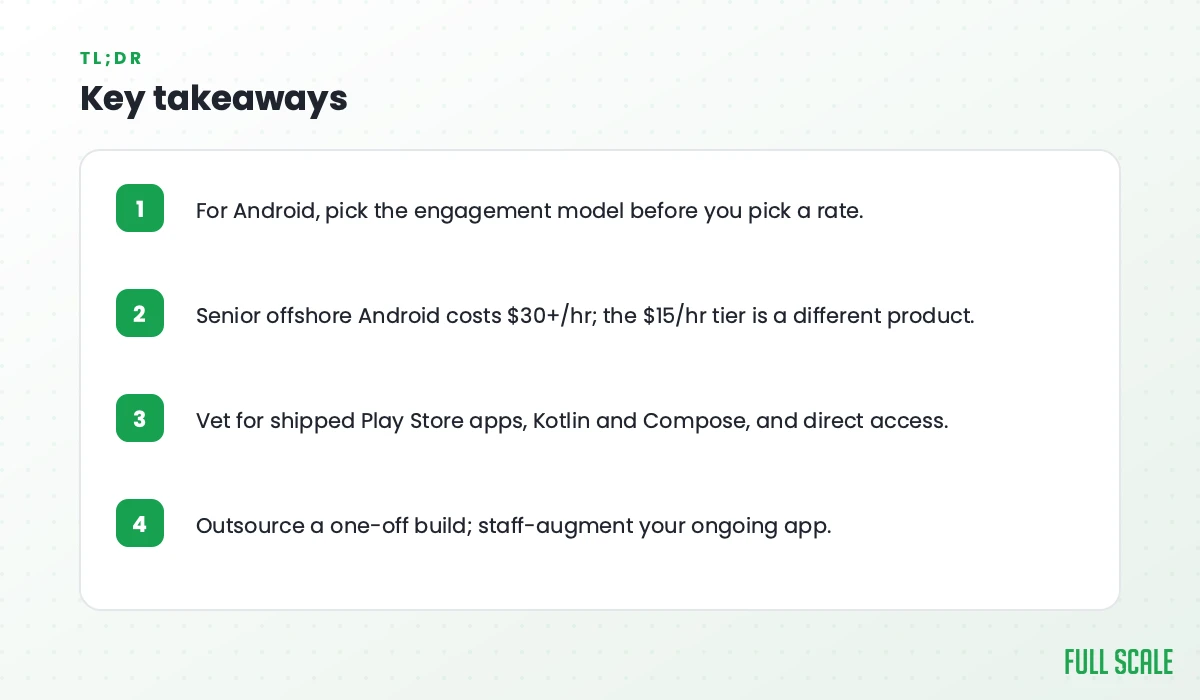
Quick Answer: Outsourcing Android app development usually means one of two models: project outsourcing, where a vendor delivers a fixed-scope build, or staff augmentation, where Android engineers join your team directly. For most ongoing Android work, staff augmentation wins because issues like Jetpack Compose bugs and Play Store rejections surface long after a project team is gone. Full Scale places senior Android engineers in the Philippines under this model, vetted for real Play Store shipping experience.
Most companies that get burned by Android outsourcing don’t know they’re getting burned until they try to ship.
This is the Android-specific version of the outsourcing decision. For the cross-platform picture (how the project-versus-team call plays out across iOS and React Native too), see our outsource mobile app development guide. A vague brief is usually the root cause, which is why writing a sharp Android developer job description comes first.
The app runs in the demo. The screens look right. The basic flows work. Then you submit to Google Play and discover the developers had never actually gone through the Play Store submission process themselves. Or the app ships and the crash rate in production is three times what you expected, because the developers didn’t understand Kotlin Coroutines and the Android lifecycle. Or your team opens the codebase to add the next feature and finds Jetpack Compose used in ways that looked right but weren’t: screens that recompose on every state change, LaunchedEffect usage that triggers on the wrong key, state that doesn’t survive configuration changes.
These aren’t obvious failures. They’re slow ones. And they come specifically from the gap between what Android outsourcing vendors claim and what they actually deliver.
I’ve been building on Android since the Eclair era. At Full Scale, we’ve placed Android engineers with US product teams and worked with companies on both sides of this, before and after failed outsourcing engagements. The failures follow the same patterns.
This guide is about those patterns and how to avoid them.
The Model Decision Comes First
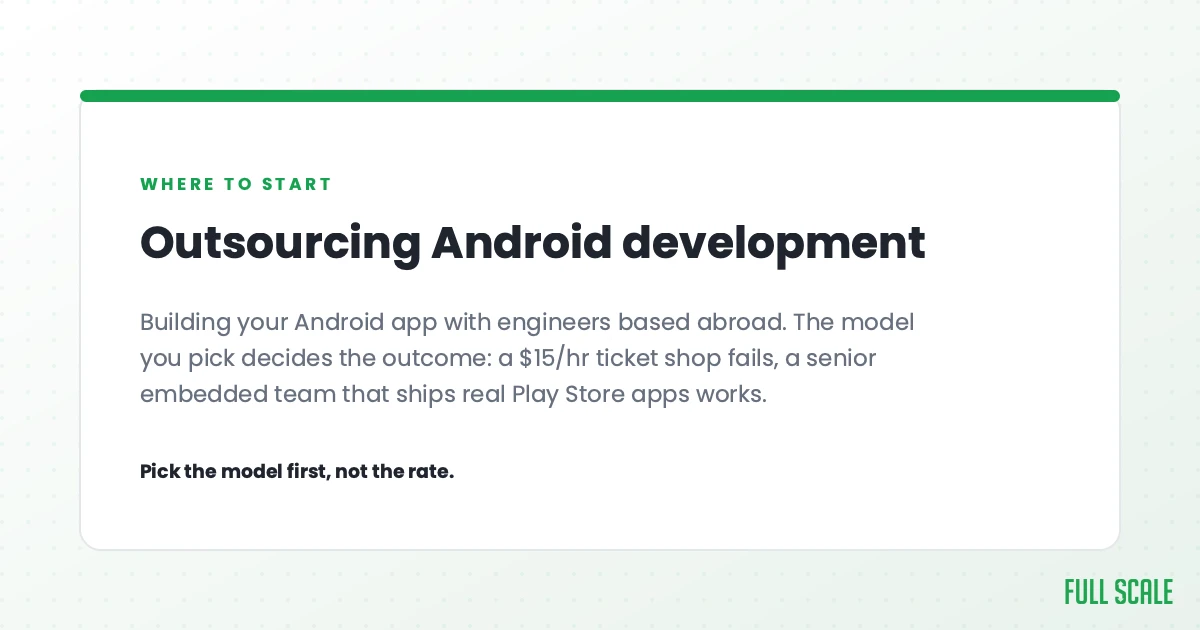
Before you search for an Android outsourcing vendor, answer one question: do you need a scoped deliverable, or do you need an ongoing Android team?
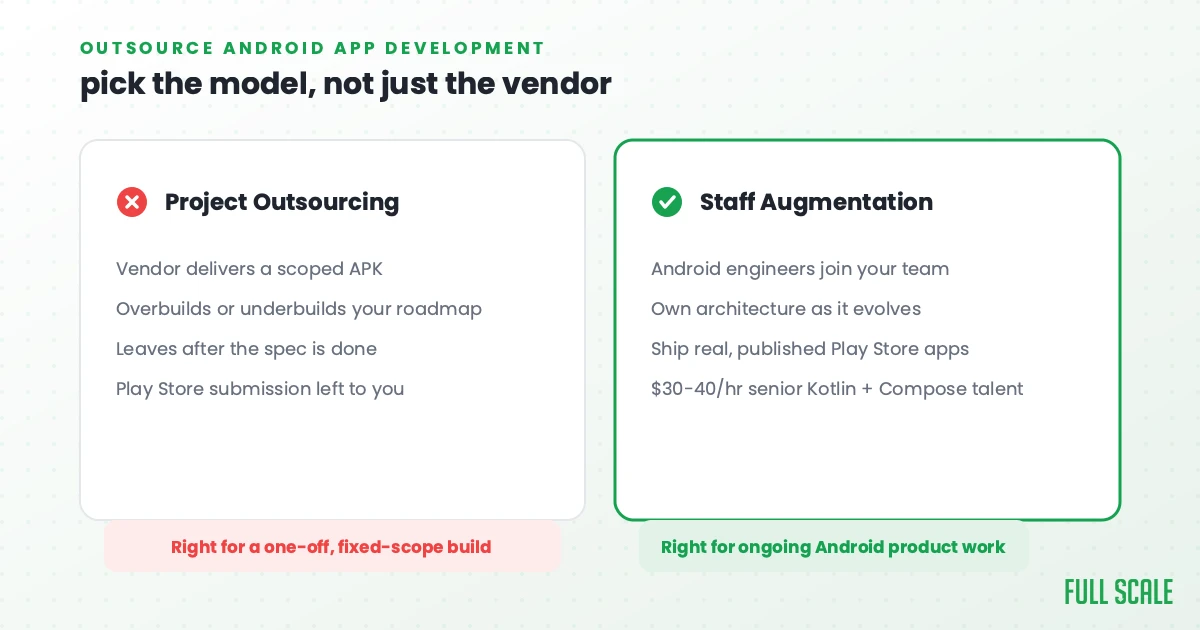
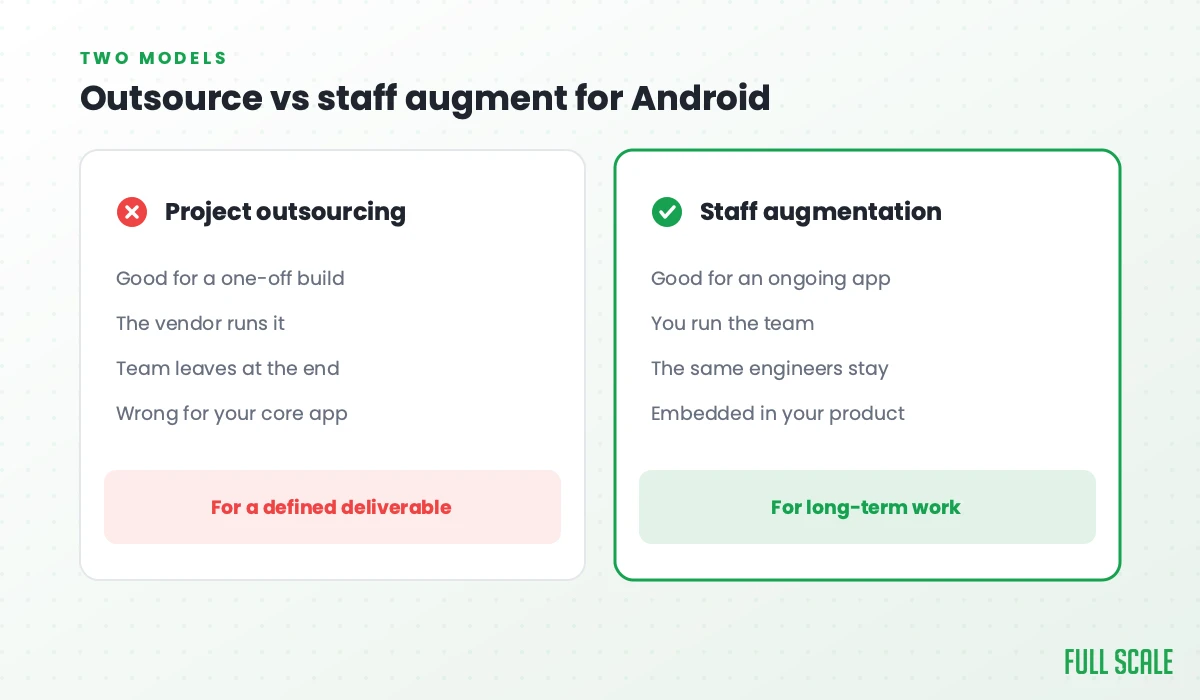
Project outsourcing delivers a scoped Android deliverable. You define the spec. The external team builds it. You receive an APK (or a testable build). This works when the scope is genuinely fixed: a defined feature set that doesn’t need to evolve during development, a clear acceptance criteria you can write down before work begins, and an app or feature you’re comfortable maintaining after the team is gone.
Staff augmentation means offshore Android developers join your team. They’re in your Slack, in your Android Studio project, in your code review queue. They work on your roadmap continuously, understanding your architecture deeply over time. This is what most companies searching for “outsource Android development” actually need: ongoing product development with a distributed team, not a one-time deliverable.
The confusion between these two models is the root cause of most Android outsourcing failures. The staff augmentation vs. outsourcing guide covers this distinction in full if you want the framework before going deeper on Android specifically. A project shop hired for ongoing development will treat your roadmap like a spec sheet, make architecture decisions without understanding your existing codebase, and deliver code that runs but doesn’t extend. An integrated team hired for a one-time project will overbuild. You’ll get architecture for a long-term product when you needed a scoped deliverable.
Figure out which you need before you talk to a single vendor.
The Three Android-Specific Failure Modes
Android outsourcing has three failure modes that don’t exist for web development. Most buyers never check for any of them.
The Jetpack Compose gap
Jetpack Compose is the modern declarative UI framework for Android, introduced by Google in 2021 and now the standard for new Android development. The problem: a substantial share of Android developers who present as “senior” learned Android in the Java/XML view era and either haven’t learned Compose or have only completed tutorials.
This gap isn’t visible in a resume. It’s barely visible in a standard technical interview. It becomes visible when you’re in a production codebase and the Compose screens have recomposition issues that tank performance, or state that doesn’t survive configuration changes because the developer used remember where they needed rememberSaveable, or LaunchedEffect keyed on the wrong value so it fires repeatedly.
Jetpack Compose in tutorials looks a lot like Jetpack Compose in production apps. It isn’t. The gap between the two (recomposition behavior, state hoisting patterns, the ViewModel-to-UI boundary, lifecycle-aware collection) is where offshore Android developers most commonly fail without either party noticing until the app is live.
What to do about it: Test Compose production patterns explicitly in any Android technical interview. Ask the developer to explain what causes recomposition and how they’d diagnose unnecessary recomposition in a production screen. Developers who’ve shipped Compose to real users can answer that question. Developers who’ve only watched tutorials can’t.
The Google Play Store knowledge gap
The Google Play Store is a gatekeeper with real requirements, a review process with real rejection criteria, and a submission workflow that many Android developers have never navigated personally. They’ve written the code while someone else handled the submission.
This gap shows up in specific ways: – Target API level compliance requirements (Google mandates minimum target SDK levels that update annually) – The Data Safety section: a required disclosure about what data the app collects and shares – App signing: the Play App Signing process that’s been mandatory since 2021 – Privacy policy requirements: the Play Store requires a valid privacy policy URL for any app that requests permissions or collects data – Staged rollouts: releasing to a percentage of users before full rollout – Google Play policies: content policies that can trigger rejection for specific patterns
An offshore project shop that delivers an APK but hasn’t thought about any of this leaves the Play Store submission entirely to you. If your team doesn’t know Android deeply, you’ll discover why this matters when your submission gets rejected.
What to do about it: Ask any Android vendor directly: “Walk me through your process for submitting an app update to Google Play.” Senior Android developers who’ve done this have a specific answer. Developers who haven’t give a vague one.
Android fragmentation
Unlike iOS (where Apple controls the full hardware stack), Android runs on thousands of device configurations: different manufacturers, OS versions, screen densities, hardware capabilities, and manufacturer-specific system behaviors. Samsung’s Android implementation behaves differently from stock Android in specific ways. Older OS versions still in your install base may not support APIs that work on newer devices.
Developers who test on one emulator and call it done ship apps that break on real devices in your user base. This shows up in Play Store reviews (“crashes on my Samsung Galaxy”) and crash reports you have to diagnose after launch.
What to do about it: Ask any Android vendor about their testing strategy for fragmentation. What devices or OS versions have caused them the most production issues? What’s their approach to supporting older API levels? Developers with real production Android experience have specific answers.
The Cheapshoring Trap for Android
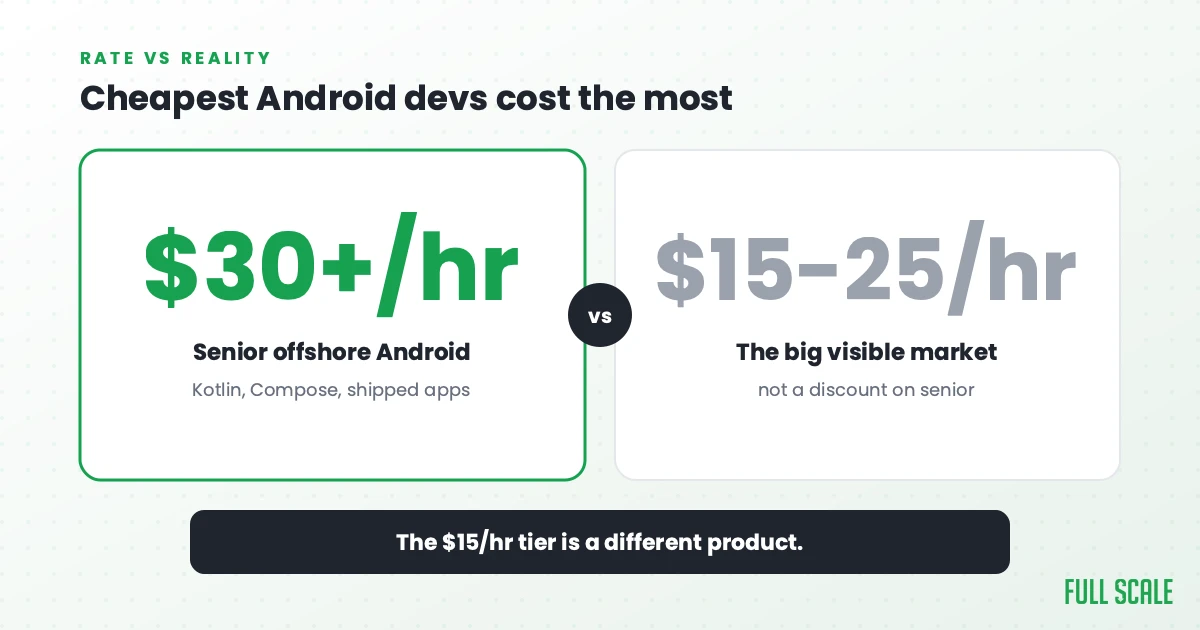
Android has a large, visible offshore market at $15-$25/hour. The vendors at this price point advertise “senior Android developers” with years of experience. What they’re often selling is developers who learned Android in the Java/XML era, haven’t kept current with Kotlin and Compose, and have never submitted an app to the Play Store without someone else handling the process.
I call this cheapshoring: offshoring for cost alone. It produces a specific outcome: code that runs in development and fails in production, Play Store rejections you can’t explain, and a codebase you can’t extend without fighting the original architecture.
Senior offshore Android developers who’ve shipped Kotlin, Compose, and real Play Store apps cost $30-$40/hour at Full Scale, still 50-60% below the fully loaded US equivalent. The $15/hour tier doesn’t buy a discounted version of that. It buys a different product.
Deloitte’s 2024 Global Outsourcing Survey found cost fell from 70% to 34% as the primary outsourcing driver between 2020 and 2024. The companies doing this long enough have figured out that a cheaper rate is not a lower cost.
When Project Outsourcing Works for Android
Some Android work is genuinely appropriate for project outsourcing: scoped, specified, and deliverable.
A well-specified feature with clear acceptance criteria. A push notification integration with a documented payload structure. A specific settings screen with defined fields and behaviors. A payment flow with a documented API contract. These have a real done state and can be delivered by a project team.
A prototype or MVP with intentionally disposable architecture. If you’re validating a concept and plan to rewrite before scaling, the architecture decisions don’t need to last. A project shop can deliver something that tests your hypothesis.
A standalone utility or companion app. A simple app with limited scope, no shared codebase with other products, and a maintenance plan that doesn’t require ongoing collaboration with the developer who built it.
What makes Android project outsourcing work: the scope is fixed, the acceptance criteria include the Play Store requirements you need met, and you have a clear plan for who maintains the code after delivery.
What doesn’t work: ongoing feature development, apps that will need to evolve with user behavior, anything with complex architecture decisions that need to hold up under load, or any engagement where you’ll need to ask “why did you build it this way?” after delivery.
Vetting Any Android Outsourcing Partner
Whether you’re outsourcing a scoped Android project or building a long-term offshore Android team, the vetting criteria overlap significantly.
For any Android vendor:
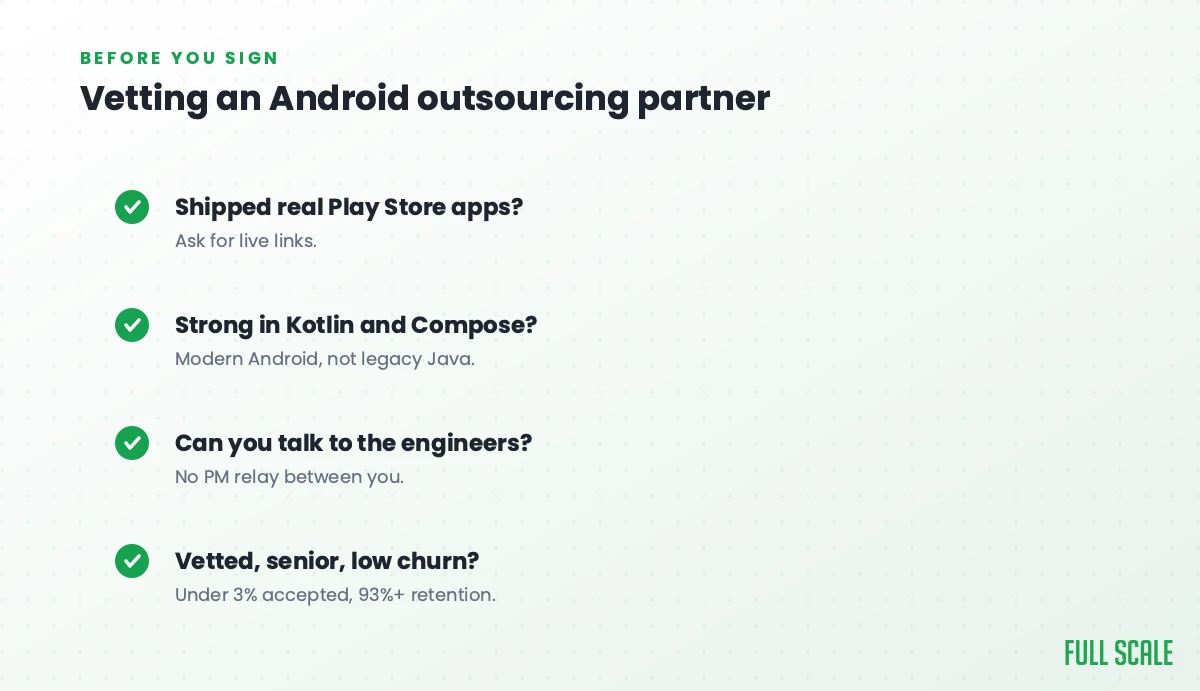
Ask about Jetpack Compose in production. Not “do you use Compose?” but “walk me through the most complex Compose screen you’ve shipped and what the hardest part was.” Production Compose experience has specific stories attached to it. Tutorial experience doesn’t.
Ask about Google Play submission experience. “Walk me through your process for submitting an update to Google Play.” Developers who’ve done this describe the target API check, the Data Safety review, the signing configuration. Developers who haven’t give general answers.
Ask about fragmentation testing. What real devices have caused production issues in their apps? What’s their approach to supporting older API levels? What manufacturer-specific behavior have they encountered?
Ask for Play Store links to shipped apps. Not GitHub repos, actual published apps. Developers who’ve shipped to the Play Store have a listing you can install and review.
For staff augmentation specifically:
Ask about their vetting rejection rate. At Full Scale, fewer than 3% of applicants make it through our 5-stage process. Our skills assessment for software developers explains the methodology behind why high rejection rates produce better placements. A vendor who can’t tell you their rejection rate is probably not rejecting enough.
Ask about retention rates. High Android developer turnover means you’re constantly onboarding new developers who don’t know your architecture. Full Scale’s 93% annual retention compounding in an Android codebase means the people who know your ViewModel patterns and navigation graph stay.
Verify English communication with the actual developers, not just the sales team. The Philippines is the third-largest English-speaking country in the world, but communication quality still varies significantly between vendors.
Red Flags Specific to Android Outsourcing
No Compose experience in their recent work samples. Jetpack Compose has been stable since 2021. Android vendors whose current work samples use XML views and no Compose are building in 2019 patterns.
“We use Java or Kotlin depending on client preference.” Kotlin has been the official Google-preferred language since 2017 and the default since 2019. A vendor who treats Java and Kotlin as equally valid choices for new Android development is behind the market.
Vague answers about the Play Store. “We handle submission as part of delivery” without describing what that means is not an answer. Press for specifics on target API compliance, signing, and the Data Safety section.
No published apps to show. Android developers who’ve shipped to real users have Play Store listings. If a vendor can only show you GitHub repos, ask why there are no published apps.
One emulator test configuration. Ask about their QA process. “We test on multiple devices” without being able to name specific configurations they’ve tested is a flag.
Structuring the Engagement for Success
For a scoped Android project:
Write acceptance criteria that include Play Store compliance, not just feature function. “The app submits successfully to Google Play with all required metadata, passes the Data Safety review, and meets the current target API level requirement” is an acceptance criterion. “The app is done” is not.
Define the Kotlin/Compose requirements upfront. If you need Compose, put that in the contract. If you need a specific minimum API level supported, specify it.
Build in a fragmentation testing checkpoint. Not just unit tests, real device testing across the device configurations in your target market.
Plan the maintenance path. Who owns the codebase after delivery? If it’s your team, you need a knowledge transfer phase. If it’s the vendor, understand the ongoing support contract.
For ongoing Android staff augmentation:
Document your architecture before onboarding. ViewModel patterns, navigation graph, Compose design system, database schema, API layer: the offshore developer who understands these from day one builds better code in month six.
Run a Play Store orientation in week one. Where is the signing configuration? Who has submission access? What’s the process for an emergency hotfix release?
Include the offshore developer in sprint planning and architecture discussions from the start. Android developers who understand the product decisions behind the features build better implementations of those features. The Product Driven principles (ownership, clarity, vision) apply here just as much as any other development context.
The Outsource vs. Staff Augment Decision for Android
Use project outsourcing when: – Scope is fixed and you can write acceptance criteria before work starts – The app or feature doesn’t need to evolve during development – You have a maintenance plan for after delivery – Acceptance criteria include Play Store requirements, not just feature function
Use staff augmentation when: – You have ongoing Android product development – The app needs to evolve with user behavior and market feedback – Deep architecture knowledge compounds over time for your product – You’re planning to work with this team for 12+ months
When in doubt: if you’re describing a product roadmap, use staff augmentation. If you’re describing a spec with a hard deliverable, you might be able to outsource it, but verify Compose, Play Store, and fragmentation experience first either way.
Ready to Make the Right Call?
If you’re not sure whether your Android situation is a scoped project or an ongoing team, schedule a consultation. We’ll tell you honestly which model fits, even if it’s a project engagement that Full Scale isn’t the right partner for.
If you’ve decided you need an ongoing offshore Android team, read Offshore Android Development Done Right: the full guide on the staff augmentation model for Android teams, including the 5-stage vetting process, the 7-day integration framework, and the Android codebases that offshore best. You can also browse Full Scale’s client case studies including the AMC Theatres case study for consumer-scale mobile proof.
To hire dedicated Android engineers directly, see Full Scale’s Android developer bench: senior Kotlin and Jetpack Compose engineers in the Philippines, ready in 7 days.
Frequently asked questions
What’s the most common way Android outsourcing fails?
Three failure modes dominate: the Jetpack Compose gap (developers who claim senior Android experience but haven’t shipped Compose to production), the Google Play Store knowledge gap (developers who write code but have never navigated the Play Store submission process), and using project outsourcing for work that requires ongoing team integration. The first two are testable in vetting; the third is a model decision that Full Scale sees teams get wrong most often, before they’ve even started evaluating a vendor.
How do I know if an Android vendor actually knows Jetpack Compose?
Ask them to explain what causes recomposition in a Compose screen and how they’d diagnose unnecessary recomposition in a production app. Ask about the difference between remember and rememberSaveable and when each is appropriate. Ask about LaunchedEffect key behavior. Developers who’ve shipped production Compose have specific answers to these questions. Developers who’ve only done tutorials give textbook answers that don’t reflect real production experience.
What should Android outsourcing acceptance criteria include?
Beyond feature function: target API level compliance with Google Play requirements, successful Play Store submission (including Data Safety section completion), app signing configuration, fragmentation testing across the device configurations in your target market, Kotlin and Compose usage in line with your technical standards, and a documented handoff for the codebase if your team is taking over maintenance.
How much does outsourcing Android development cost?
Cost follows the model more than the rate card. For ongoing Android work, quality staff augmentation runs mid-range for a senior Kotlin/Compose engineer, not bottom-tier. Treat rates below $20/hour for “senior” Android development as a quality signal, not a savings opportunity. For a one-off build the spec matters more than the hourly. The full US-versus-offshore cost breakdown is in our offshore Android app development guide.
Should I outsource Android development or build an offshore team?
Outsource when you have a scoped spec, clear acceptance criteria, and a maintenance plan for after delivery. Build an offshore team (staff augmentation) when you have ongoing Android product development. Most companies describing a product roadmap need staff augmentation; those describing a one-time deliverable might be able to outsource it. The key is figuring out which you actually need before signing anything.
How do I handle Android fragmentation when working with an offshore team?
This is a vetting question first: ask any Android vendor about their real-device testing process and the specific device configurations that have caused production issues in apps they’ve shipped. For staff augmentation teams, build fragmentation testing into your QA process: the offshore developer should run on a real device matrix before every Play Store submission. For project outsourcing, include fragmentation testing across your target device configurations as a formal acceptance criterion.