Outsource Vue.js Development: How to Pick the Right Model

In this article
- The First Decision: Project or Team?
- The Three Vue-Specific Failure Modes
- The Vue.js Cheapshoring Trap
- When Project Outsourcing Works for Vue.js
- Vetting Any Vue.js Outsourcing Partner
- Red Flags Specific to Vue.js Outsourcing
- Structuring for Success Either Way
- The Decision Framework
- Ready to Figure Out Which You Need?
- Frequently asked questions
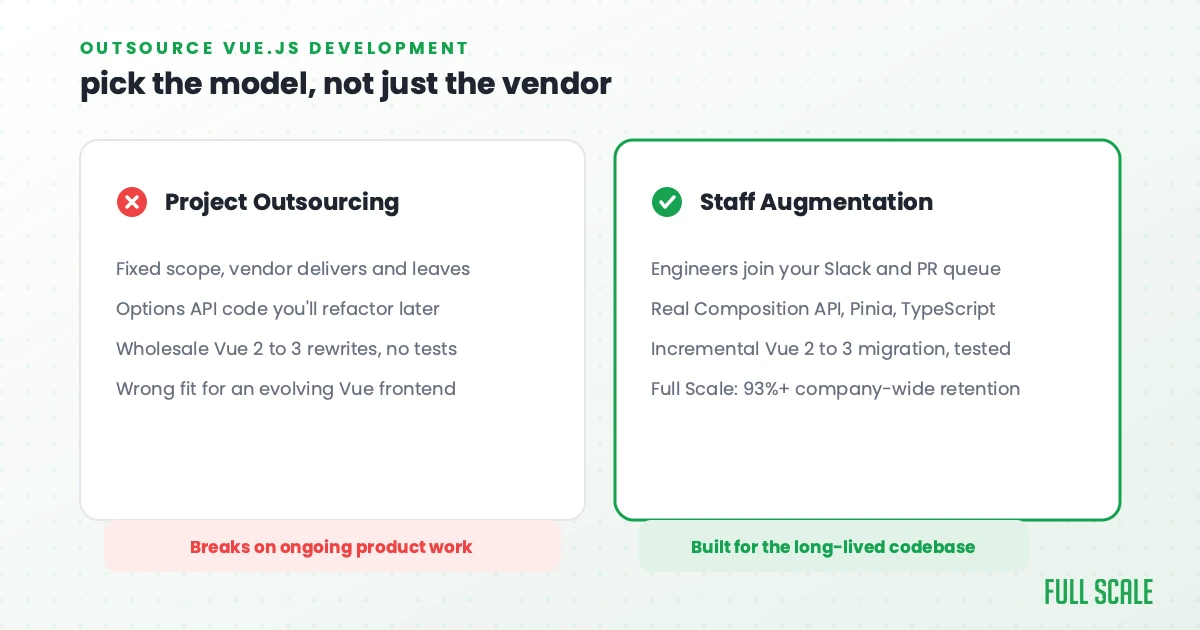
Quick Answer: Outsourcing Vue.js development usually means one of two models: project outsourcing, where a vendor delivers a fixed scope, or staff augmentation, where Vue.js engineers join your team directly. For most ongoing Vue.js work, staff augmentation wins because the codebase’s Composition API patterns and Pinia conventions keep evolving past any fixed deliverable. Full Scale places senior Vue.js engineers who write real Composition API and TypeScript-strict code in the Philippines under this model, the same approach AMC Theatres uses for its frontend team.
Vue.js outsourcing burns companies in ways that are specific to Vue: failure modes that don’t exist for React or Node.js outsourcing. A vague brief is usually the culprit, which is why writing a sharp Vue developer job description comes first.
The most common is a slow one. You outsource a Vue.js feature or app. The component renders. The functionality is there. Your team opens the codebase to extend it and finds: Options API in a Vue 3 project that was supposed to be Composition API. Vuex in a project that was supposed to be on Pinia. Composables written as mixins because the developer was more comfortable with Vue 2 patterns. TypeScript types annotated where they were easy and avoided where they were hard.
None of it breaks anything today, but all of it makes tomorrow expensive.
The other common failure is worse. You outsource a Vue 2 → Vue 3 migration. Vue 2 is end-of-life: no security patches as of December 31, 2023. You need to migrate. A project shop takes the work, delivers a migrated codebase, and you discover they wholesale rewrote instead of migrated incrementally, broke behavior that your users relied on, and left no test coverage to catch the regressions. The same discipline matters when you hire Next.js developers: server components and data fetching are easy to get subtly wrong.
I’ve been building on Vue.js (it’s my favorite frontend framework) and running Full Scale, a company that places Vue engineers on US product teams. I’ve worked with companies on both sides of Vue.js outsourcing: before a failed engagement and after. The failures follow the same patterns.
This guide is about those patterns and how to avoid them.
The First Decision: Project or Team?
Before you search for a Vue.js outsourcing vendor, answer one question: are you describing a scoped deliverable or an ongoing product?
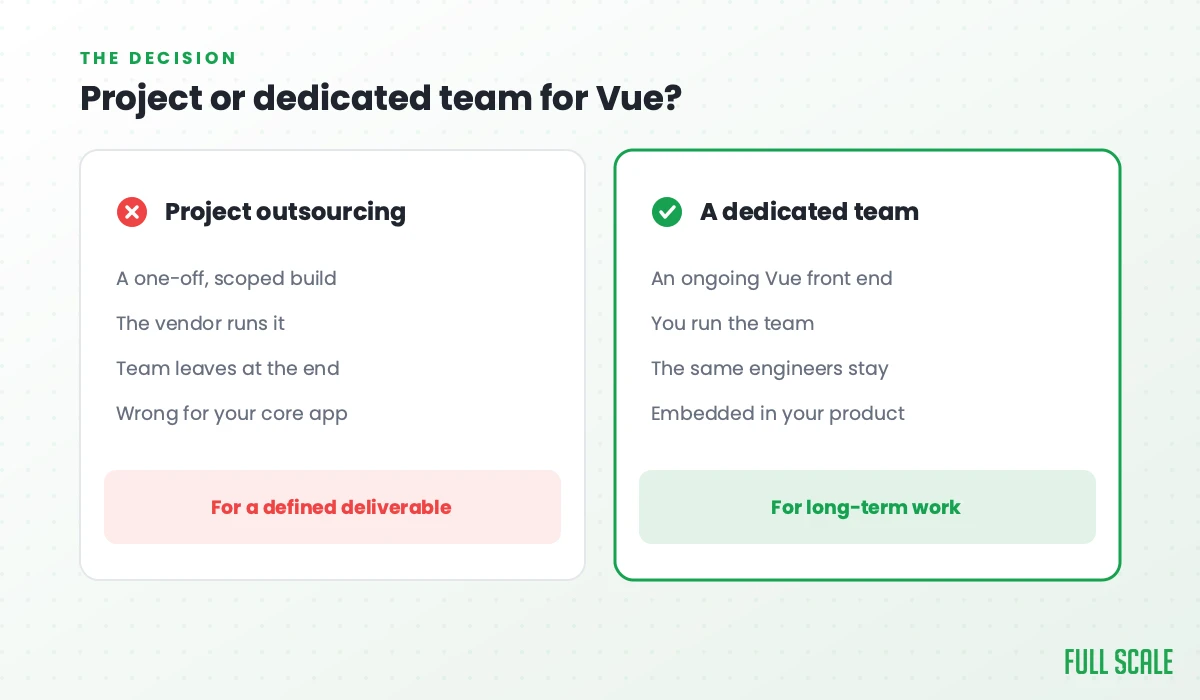
Project outsourcing means you hand a defined scope of Vue.js work to an external team and receive a deliverable. This works when the work is genuinely scoped: a specific Nuxt page or section with clear specs, a migration with defined before-and-after states, a Vue component with documented props and behavior.
Staff augmentation means offshore Vue developers join your team. They’re in your Slack, in your .vue files, in your code review queue. They adopt your Pinia patterns, your composable conventions, your TypeScript strictness. They build your product continuously.
Most companies searching for “outsource Vue.js development” are describing ongoing product work: a SaaS frontend with a feature backlog, an admin dashboard in active development, a Nuxt site that evolves with content. What they’re describing is staff augmentation. “Outsource” is just the word they search, and the engagement they need isn’t a project shop.
This distinction is the most important decision you make before talking to vendors. The staff augmentation vs. outsourcing decision determines which vendors are appropriate, which pricing models are real, and which failure modes you’re exposed to. And if a vendor is pitching to own the whole function for you, that is a third arrangement entirely, which I cover in staff augmentation vs managed services.
The Three Vue-Specific Failure Modes
Vue.js outsourcing has three failure modes that don’t exist for other stacks. Most buyers never check for any of them.
The Composition API gap
Vue 3’s Composition API (<script setup>, composables, ref/reactive, typed props and emits) is the modern way to write Vue. The Options API (data(), methods:, mounted()) is the Vue 2 way. Both work in Vue 3 for backward compatibility, but new code written in Options API in 2026 is writing legacy patterns.
The problem: a substantial share of Vue developers who present as “senior Vue” learned on Vue 2’s Options API and have either not transitioned to Composition API or have only done so in tutorials. This gap is invisible in a resume. It surfaces when your team opens the delivered code and finds Options API components in a Vue 3 project.
The gap matters for three reasons:
- Composability. Composition API enables clean composable extraction. Options API pushes logic into mixins, which are messy and hard to type.
- TypeScript.
<script setup lang="ts">gives you typed props, typed emits, typed composables. Options API typing is awkward by comparison. - Future maintenance. New Vue tools and third-party libraries are increasingly Composition API-first. Options API code becomes harder to integrate over time.
What to do: Test Composition API patterns explicitly in any Vue interview. Ask the developer to write a <script setup> component from scratch. Ask them to extract shared logic into a composable. Developers who’ve built real Vue 3 apps can do this fluently. Developers who’ve only done tutorials produce awkward transitions.
Vue 2 migrations handled wrong
Vue 2 reached end-of-life on December 31, 2023, which means no new security patches from the Vue team. If you’re running Vue 2 in production, you’re running unsupported software with accumulating risk, and unsupported software has a talent for picking its own bad day. If you can’t migrate yet, the Vue 2 end-of-life page points to a third-party extended-support service from HeroDevs for ongoing security patches. Treat that as a way to buy time while a migration runs, not as a substitute for one.
The migration path (Options API to Composition API, Vuex to Pinia, Vue CLI to Vite) is substantial. Project shops hired for Vue 2 → Vue 3 migrations frequently approach it wrong:
The wholesale rewrite mistake. Instead of migrating incrementally (introducing Composition API alongside Options API, migrating one component at a time), the project shop rewrites from scratch. This breaks existing behavior in ways that aren’t caught until production. Users notice, and the support tickets arrive.
The no-test-coverage mistake. The migrated codebase has no tests to verify the migration preserved existing behavior. Regressions are invisible until they hit production.
The Vuex-left-in-place mistake. The project shop migrates the components to Vue 3 but leaves the state management on Vuex because Pinia is unfamiliar. You end up with a hybrid that’s harder to maintain than either pure system.
The right approach for Vue 2 migration is incremental and embedded: offshore developers working alongside your local team, migrating piece by piece, with test coverage written before each migration verifying the existing behavior is preserved. That’s staff augmentation, not a project shop. Our guide to moving a live Vue 2 app to Vue 3 walks through the incremental path in detail.
The Nuxt 2 vs. Nuxt 3 gap
If your Vue project is a Nuxt application, the same gap exists between Nuxt 2 and Nuxt 3 as exists between Vue 2 and Vue 3. Nuxt 3 (with Nitro, useAsyncData, auto-imports, and the app config system) is substantially different from Nuxt 2. Developers who claim Nuxt experience but have only worked in Nuxt 2 will struggle with Nuxt 3 data fetching patterns, the composables layer, and the server routes system. Nuxt 2 also reached end of life on June 30, 2024, so a Nuxt 2 codebase carries the same unsupported-software risk as Vue 2.
Test for Nuxt 3 specifically if your project runs on it.
The Vue.js Cheapshoring Trap
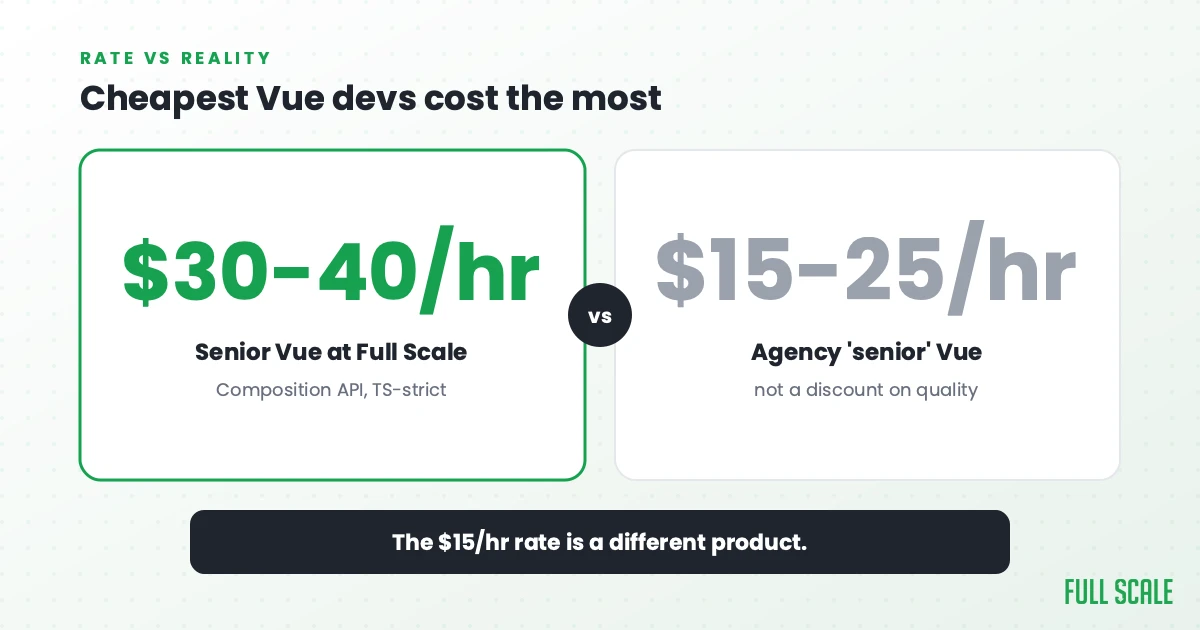
The offshore Vue.js market has a large, visible cheap end. Agencies offering Vue development at $15-$25/hour for “senior” developers are common. What “senior” often means at these rates: developers who learned Vue 2 three years ago, haven’t adopted Composition API, have never worked with Nuxt 3 in production, and don’t use TypeScript.
I call this cheapshoring: offshoring for cost alone, without a quality bar.
The damage from cheapshored Vue.js development is specific and expensive:
- Options API in your Vue 3 codebase that future developers have to refactor before they can extend
- Vuex stores that can’t be easily migrated to Pinia
- No TypeScript types on shared components, meaning prop errors are runtime errors
- Composable patterns that are actually mixins renamed
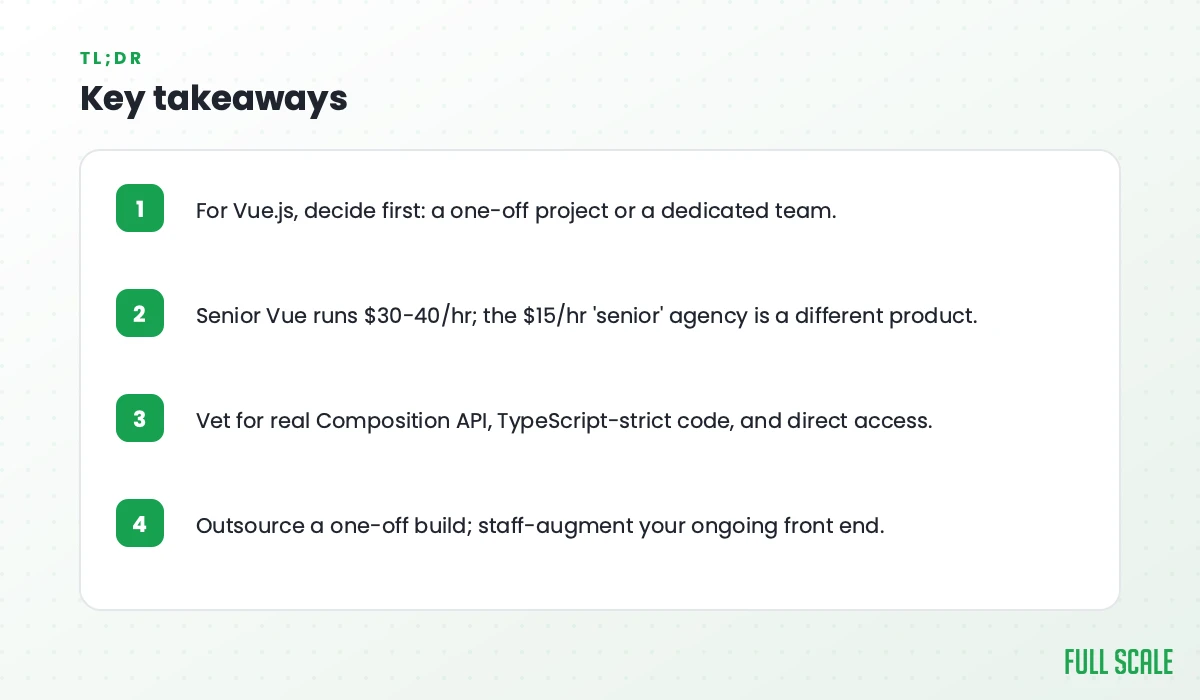
Senior offshore Vue.js developers who write real Composition API, TypeScript-strict code cost $30-$40/hour at Full Scale, still 50-65% below the fully-loaded US equivalent. The $15/hour rate doesn’t buy a discounted version of that quality. It buys a different product.
Deloitte’s 2024 Global Outsourcing Survey points the same way: it lists skilled talent and agility alongside cost reduction as key outsourcing drivers. Buyers who have outsourced the longest have figured out that a cheaper rate is not a lower cost.
When Project Outsourcing Works for Vue.js
Some Vue.js work is genuinely appropriate for project outsourcing: scoped, specifiable, deliverable.
A specific Nuxt page or feature with documented behavior. A marketing page, a defined Nuxt content section, a specific component with documented props and states. The spec is complete before work begins.
A well-specified component library addition. “Add these five components to our Storybook in line with these design tokens and these documented props.” The spec is clear and the acceptance criteria are testable.
A specific, scoped Vue 2 → Vue 3 migration of a single isolated module. Not the whole app, a specific store, a specific component, with documented before-and-after behavior.
What makes Vue.js project outsourcing work: the scope is fixed, the done state is defined before work starts, and the deliverable doesn’t need to integrate with the undocumented tribal knowledge of your existing Vue architecture.
What doesn’t work: ongoing feature development, Vue 2 migrations of whole apps, anything where the offshore team needs to understand your composable conventions to produce good output.
Vetting Any Vue.js Outsourcing Partner
For any Vue.js vendor:
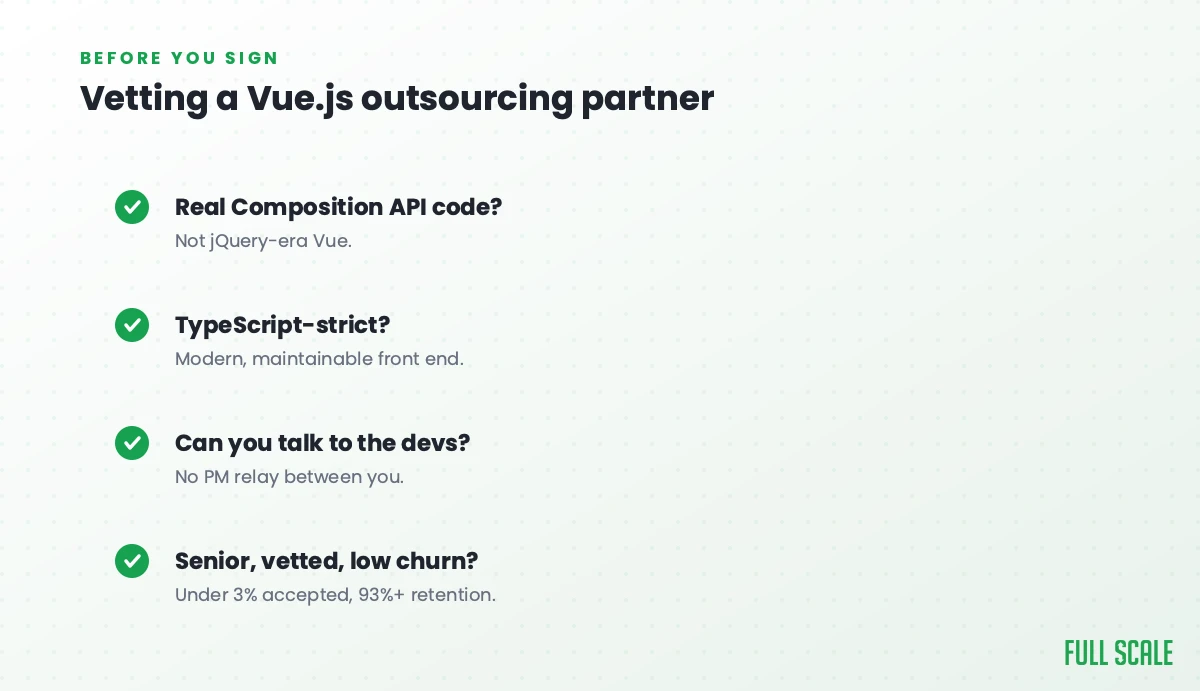
Test Composition API specifically. Ask the developer to explain the difference between ref and reactive and when they use each. Ask them to describe how they’d extract shared logic from two Vue components into a composable. Ask about their Pinia experience and how it differs from Vuex. Developers with real Vue 3 production experience have specific answers. Developers with Vue 2 background have general ones.
Ask about Vue 2 migration experience. “Have you migrated a production Vue 2 application to Vue 3? Walk me through the approach.” The incremental-vs-wholesale distinction immediately surfaces. Developers who’ve done this successfully describe the incremental path.
Verify TypeScript usage in their code samples. Request an example of a typed component with <script setup lang="ts"> including typed props and emits. Review the actual TypeScript: generic usage, proper typing of composables, avoidance of any.
Ask about their Nuxt version experience if your project uses Nuxt. Nuxt 2 and Nuxt 3 are significantly different. Test for the one you’re running.
For staff augmentation specifically:
Ask about their vetting rejection rate. At Full Scale, fewer than 3% of applicants make it through our 5-stage process. A vendor who can’t describe their rejection rate is probably not rejecting enough.
Ask about retention. Vue developers who’ve been in your Pinia stores and composables for 18 months understand your architecture in ways a new hire doesn’t. Full Scale’s 93% annual retention compounds directly into Vue.js codebase quality. Our skills assessment framework explains the methodology behind high-bar vetting and how it drives retention.
Check Philippine English proficiency in a real technical conversation: component architecture discussion, code review walkthrough. The Philippines is the third-largest English-speaking country globally, but communication quality varies between vendors.
Red Flags Specific to Vue.js Outsourcing
Options API examples as their “current” work. If a vendor’s current work samples show Options API components with no Composition API, they’re delivering 2019 patterns.
Vuex in a Vue 3 project. Pinia is the official state management for Vue 3. Vuex still works but it’s the legacy path. A vendor building new Vue 3 apps with Vuex hasn’t made the transition.
No TypeScript in their Vue examples. TypeScript + Vue 3 is the production standard. Plain JavaScript Vue components in new code are a quality signal.
“We do Vue and React interchangeably.” Vue and React have different mental models. Developers who treat them as interchangeable typically know one well and the other superficially. Ask which they prefer and why. A genuine Vue developer has an opinion.
Vague answers about Vue 2 migrations. “We’ve done migrations before” without being able to describe the approach (incremental vs. wholesale, test coverage strategy, Vuex → Pinia path) means they’ve done it once, without a methodology, and can’t guarantee they’ll do it well.
Structuring for Success Either Way
For a scoped Vue.js project:
Document your Composition API standards upfront. Which patterns do you use? ref or reactive for primitive values? How are composables structured? Put these in the requirements spec so the vendor builds to them.
If using TypeScript, specify your strictness settings and prohibit any types in the contract.
Include a Vue 3 code review checkpoint before delivery, specifically checking for Options API patterns that shouldn’t be there, Vuex where Pinia belongs, and TypeScript coverage.
For migrations: define the incremental migration path explicitly in the spec. “Migrate component X using Composition API while preserving all existing behavior, verified by tests written before migration.”
For ongoing Vue.js staff augmentation:
Document your conventions before onboarding: composable patterns, Pinia store structure, component naming, TypeScript strictness, routing conventions. The offshore Vue developer who understands these from Day 1 builds better code in month six.
Include them in frontend planning from the first sprint. Vue developers who understand the product decisions behind the components build better implementations. The Product Driven framework (Vision, Focus, Clarity, Ownership, Courage) is what our Vue developers are trained on; it applies to distributed teams just as much as co-located ones.
The Decision Framework
Which Vue.js outsourcing model fits depends on your situation:
| Your Vue.js situation | Model that fits |
|---|---|
| The scope is fully defined before work starts | Project outsourcing |
| The deliverable doesn’t depend on undocumented codebase conventions | Project outsourcing |
| You can write Composition API and TypeScript requirements into the contract | Project outsourcing |
| You have a Vue 3 code review checkpoint before accepting delivery | Project outsourcing |
| You have ongoing frontend product development | Staff augmentation |
| Your Vue architecture evolves with the product | Staff augmentation |
| Component and composable conventions compound over time | Staff augmentation |
| You’re planning to work with this team for 12+ months | Staff augmentation |
Full Scale’s staff augmentation model covers the last four rows. The first four can be outsourced as a scoped project, as long as you verify Composition API and TypeScript fluency first.
When in doubt: if you’re describing a product roadmap and an evolving component library, use staff augmentation. If you’re describing a spec, you might be able to outsource it, but verify Composition API and TypeScript fluency first either way. If your backlog lives on the JVM instead, the same fork is the heart of my guide on how to outsource Java development.
Ready to Figure Out Which You Need?
If you’re not sure whether your Vue.js situation is a project or an ongoing team, schedule a consultation. We’ll give you an honest assessment, even if it points toward a model Full Scale isn’t the right partner for.
For the full guide on how the staff augmentation model works for Vue.js teams, read Offshore Vue.js Development Done Right: including the 5-stage vetting process, the 7-day integration framework, and the Vue.js codebases that offshore best. Browse our client case studies including AMC Theatres for Fortune 500 frontend proof.
To hire dedicated Vue.js engineers directly, see Full Scale’s Vue.js developer bench: senior Composition API, Nuxt 3, and TypeScript engineers in the Philippines, ready in as little as 7 days.
Frequently asked questions
What’s the most common way Vue.js outsourcing fails?
Three failure modes dominate: the Composition API gap (developers who present as senior Vue.js but write Options API patterns in Vue 3 projects), Vue 2 migrations handled wrong (wholesale rewrite instead of incremental migration, no test coverage for regressions), and using project outsourcing for work that requires ongoing team integration. Full Scale tests candidates for all three before ever placing a Vue.js developer on a team, and you should hold any vendor to the same bar before signing anything.
Should I outsource Vue.js developers or the whole Vue.js project?
It depends on whether the work has an end date. If you have an ongoing product with a feature backlog, outsource Vue.js developers who join your team: staff augmentation puts them in your Slack, your Pinia stores, and your code review queue, so they build to your conventions month after month. If you have a fully specified deliverable, such as a single Nuxt page, a component library addition, or one isolated module migration, a scoped project can work, as long as you write your Composition API and TypeScript standards into the contract. Full Scale supplies the first model: senior Vue.js engineers in the Philippines who work as part of your team.
How do I know if a Vue.js vendor actually knows Composition API?
Ask them to write a <script setup> component from scratch in a technical conversation. Ask them to explain the difference between ref and reactive and when they’d use each. Ask how they’d extract shared logic from two components into a composable. Ask about Pinia vs. Vuex and their experience with each. Developers with real Vue 3 production experience answer these questions specifically. Developers with Vue 2 background answer generally.
Should I outsource my Vue 2 → Vue 3 migration?
Only to a vendor who can demonstrate real Vue 2 migration experience and describes an incremental approach: Composition API introduced alongside Options API, Vuex migrated to Pinia store by store, test coverage written before each migration to verify preserved behavior. Avoid any vendor who proposes a wholesale rewrite. For large migrations, staff augmentation (offshore developers embedded with your local team) is safer than project outsourcing.
How much does Vue.js outsourcing cost?
Cost follows the model you choose more than the rate card. For ongoing Vue work, a senior Vue 3 and Nuxt 3 engineer at Full Scale runs $30-$40 an hour, roughly 50-65% below the fully loaded US equivalent, which is mid-range for quality Vue work and not bottom-tier. Treat rates below $20/hour for “senior” Vue developers as a quality signal (check for Options API patterns and missing TypeScript before agreeing to any cheap rate). For a one-off project the spec matters more than the hourly. The full US-versus-offshore cost breakdown is in our offshore Vue.js development guide.
What Vue.js skills should I require from an outsourcing partner?
Vue 3 Composition API with <script setup lang="ts"> (not just Options API knowledge), Pinia state management, Vue Router 4, Vitest for testing, and Vite build tooling. For SSR projects: Nuxt 3 (not Nuxt 2, they’re significantly different). TypeScript should be non-negotiable for any serious Vue 3 project.
How do I prevent Options API code from appearing in my Vue 3 project?
In your requirements spec: explicitly prohibit Options API components (except in legacy files being migrated). Require <script setup lang="ts"> for all new components. Include a code review checkpoint specifically checking for Options API patterns before delivery. For staff augmentation, document this in your onboarding materials and include it in code review standards from Day 1.