Asynchronous Communication Tools for Developers: What I Learned Running a Team 13 Hours Away

In this article
- What asynchronous communication actually means
- Why “fully async” breaks for developers
- The live spine: overlap and a daily meeting
- The actual asynchronous communication tools, grouped
- Over-communication is the discipline that makes tools work
- The tools are table stakes, the operating model is the moat
- Frequently asked questions
Quick Answer: The best practices for asynchronous communication on a remote or offshore development team come down to one rule: protect a real daily overlap window, three to four hours, before you worry about tools. Written updates, async video, and documentation only work when a live spine holds the team together; going fully async with no shared hours is how offshore teams quietly drift apart. Full Scale runs every distributed team this way, tools as table stakes, overlap and over-communication as the actual discipline.
When I started building a development team in the Philippines, the time zone was part of the appeal. The gap is about 13 hours from where I sit in the US. On paper that sounds like a problem. In practice I could hand off work before I went to bed and wake up to results the next morning, close to a 24-hour build and test cycle. The work never stopped.
That only happens if the handoff is clean. And a clean handoff has almost nothing to do with which chat app you picked.
I’ve been running engineers across that 13-hour gap since 2018, and I’ve watched plenty of companies try the same thing and fail at it. The ones who fail almost always blame the wrong thing. They think they bought the wrong tool, or that the people on the other side aren’t good enough. The real problem is that they treated asynchronous communication as a way to stop talking to each other, when it only works as a layer on top of talking to each other.
So this is a guide to the actual asynchronous communication tools for developers, grouped and explained. But I’m going to put them where they belong, which is in the middle, not at the top. First we need to talk about the thing every other list leaves out.
Async only works when it sits on top of a live spine. Take the spine away and the tools don’t save you.
What asynchronous communication actually means
Asynchronous communication is any exchange where both people don’t have to be present at the same moment. You write something now, the other person reads and responds later. A recorded video, a pull request comment, a written spec, a message in a thread. All async.
Synchronous communication is the opposite. A call, a live meeting, a screen-share where both of you are there at once.
Most developer work should be async, and that’s a good thing. Deep work needs uninterrupted hours, and a developer who gets pinged every few minutes never gets into the problem. The benefits of asynchronous communication are real: fewer interruptions, a written record, and coverage across time zones that a single-location team can’t match.
The mistake is reading all that and concluding the goal is zero meetings. That’s where it breaks.
Why “fully async” breaks for developers
There’s a fantasy version of remote work where nobody meets, everyone writes everything down, and the work just flows. I’ve never seen it hold up on a real engineering team, and I’ve tried.
Here’s why. Chat is a terrible medium for hard questions. People don’t ask the uncomfortable, clarifying question over text. They read a spec, half understand it, and start building anyway because typing out “I don’t actually get this” feels worse than guessing. You can’t see them do it. On a call I can look at someone’s face and tell in two seconds whether they’re with me or quietly lost. In a thread, I find out a week later when the wrong thing shows up in a pull request.
The teams that go fully meeting-less with a new offshore group are the ones it blows up on. A bad spec gets built wrong. A bug sits untouched for a day because nobody wanted to interrupt. A design decision gets made in someone’s head and never written down, and now two developers are building against two different mental models.
You can run almost entirely on chat, but only after you’ve built a genuinely strong working relationship with someone. That trust isn’t free. It comes from live time first. Skip that and async becomes a slow-motion game of telephone.
This is really a communication problem, not a tooling problem, and it’s a leadership problem before it’s anything else. No app fixes it for you.
The live spine: overlap and a daily meeting
If async is the layer, overlap and a daily meeting are the spine underneath it.
The overlap rule I actually use
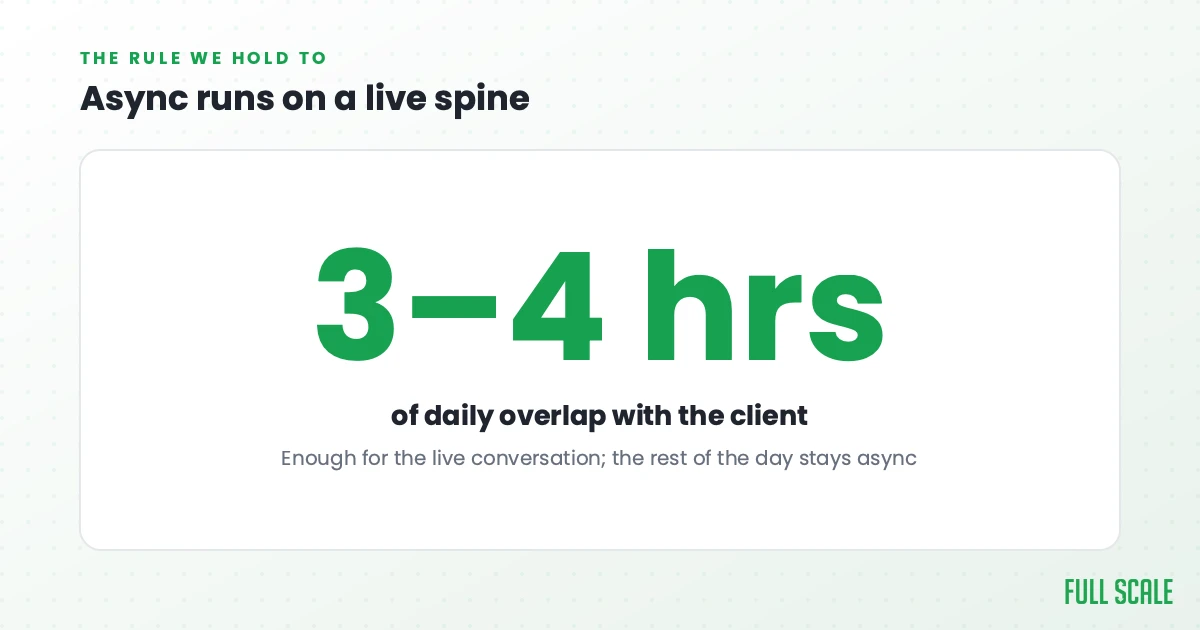
Across the 300-plus engineers we place in the Philippines, the rule doesn’t change: three to four hours a day of overlapping work hours with the client. That’s the number, and we hold to it. It’s enough to run a real conversation when one is needed, and small enough that the rest of the day is still protected for deep, async work.
People assume an offshore team means you’ve given up on overlap. You haven’t. Overlap is a scheduling decision, not a fact of geography. Our engineers in the Philippines shift their hours to meet the US workday, so a client gets several live hours every day plus the overnight cycle on top. If you want the full picture of working across a gap this wide, I wrote about managing a remote team across time zones separately.
What stays live, and what goes async
The daily meeting is short and it has a job. It’s where the hard questions get asked out loud, where ambiguity gets cleared up, and where you confirm that everyone is building against the same picture. A lot of people either skip this meeting or let it turn into idle chat. Both are mistakes. If it isn’t doing that job, it shouldn’t be on the calendar.
Use this rough split:
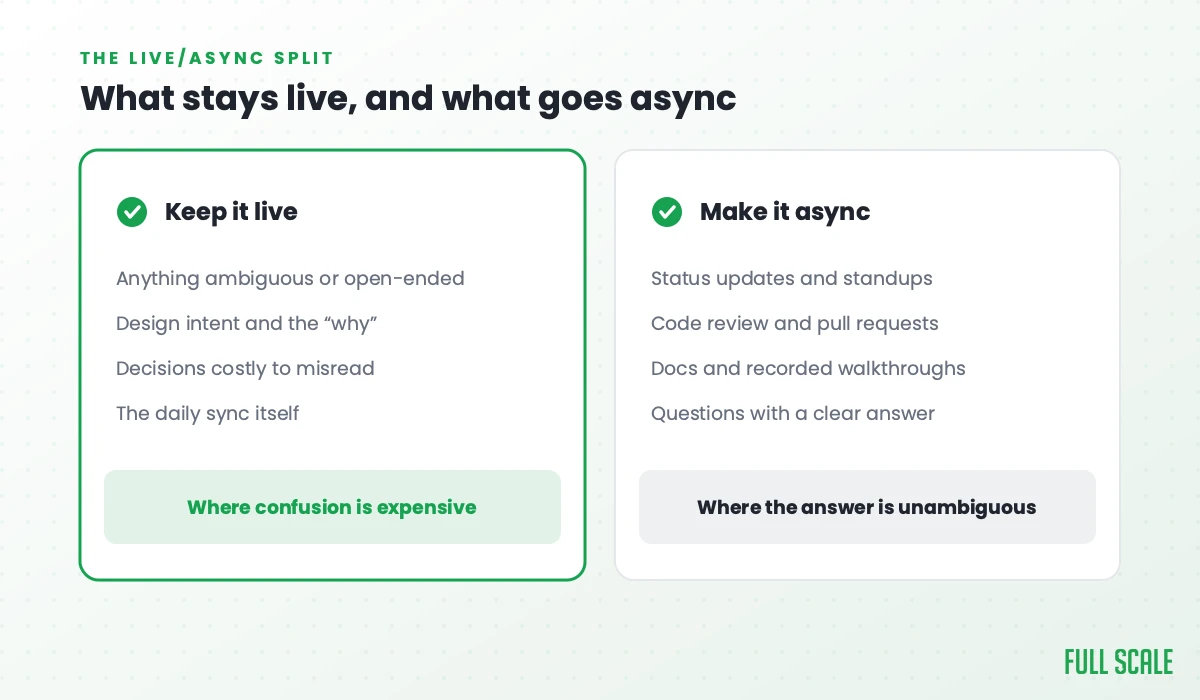
- Keep it live: anything ambiguous, any design intent, any decision where being misunderstood is expensive, and the daily sync itself.
- Make it async: status updates, code review, documentation, recorded walkthroughs, and most day-to-day questions that have a clear answer.
Get that division right and the 24-hour cycle becomes real. Get it wrong and you’ve just added a time zone to your confusion.
The gap cuts both ways, and it’s worth being honest about that. A clean handoff buys you an overnight cycle. A blocked or misread task can burn a full day, because the person who could unblock it is asleep. That is the whole reason the overlap window and the daily meeting exist: to catch the misunderstanding before the sun goes down on it. The deeper version of this playbook lives in how to manage distributed teams as one team.
The actual asynchronous communication tools, grouped
Now the tools. None of these create clarity on their own. They’re what you run on top of the spine. I’ve sorted them by the job they do, with what each one is good for and what it can’t replace.
Written and chat
Slack is the default for a reason. It’s fast, searchable, and every developer already knows it. The trap is that its speed pulls you back toward synchronous habits, where an unanswered message feels urgent. Channels and threads are async tools. Treat them that way and turn off the pressure to reply in seconds.
Twist is built async-first on purpose. It rejects the always-on feel of normal chat and pushes everything into threaded, topic-based conversations. If your team keeps sliding back into real-time pings, a tool that’s opinionated about async can at least remove the temptation. It won’t make anyone ask the hard question, but it stops treating an unanswered message like an emergency.
Asynchronous video
Loom is the most underrated tool on this list for a team split across a time zone. A two-minute recorded walkthrough of a feature, a bug, or a code path carries tone and context that a wall of text never will. You’re showing the work instead of typing it out. For the 13-hour handoff, asynchronous video communication is often the cleanest way to leave instructions someone picks up while you sleep.
Yac does for voice what Loom does for video: quick recorded audio notes instead of a meeting nobody needs. Useful when the message has nuance but doesn’t justify pulling someone onto a call.
Project and issue tracking
This is the category that matters most for developers, because it’s where the work itself lives.
Jira and Linear both turn work into a written, async-readable record: who owns what, what’s blocked, what’s done. Linear is faster and cleaner; Jira is heavier but bends to almost any process. Pick one and make it the source of truth so nobody has to ask “what’s the status” in chat.
GitHub and GitLab are async communication tools whether you think of them that way or not. A pull request is a threaded, time-shifted conversation about code. Good PR discipline (clear descriptions, real review comments, small diffs) is most of what async engineering actually is.
Documentation and knowledge
Notion and Confluence hold the written record that over-communication depends on. Decisions, specs, onboarding, architecture notes. When someone is 13 hours away, the doc is often the only version of you available at 2 a.m. their time. A team that writes things down beats a team that’s relying on memory.
Async standup
Standup bots like Geekbot or Standuply collect written daily updates in Slack so nobody has to be online at once for a status round. They’re genuinely useful for the status half of a standup. Just don’t let the bot replace the live daily meeting. Let the bot collect what everyone did, and keep the live meeting for what people don’t understand.
Over-communication is the discipline that makes tools work
Tools don’t create clarity. Habits do. The single habit that matters most on a distributed team is over-communicating, and it feels excessive right up until the day it saves you.
For a developer 13 hours away, over-communication looks specific. Write the decision down, don’t just say it. Default to the channel the whole team can read later, not the DM. Restate your understanding of a task back in your own words before you start building, so a misread surfaces in a sentence instead of in a sprint. Leave the next person a clean handoff, because the 24-hour cycle is only ever as good as the note you left before you logged off.
This is the same muscle as good knowledge transfer. The information has to outlive the moment it was shared.
I say this constantly and I’ll say it here: over-communication prevents the misunderstandings that quietly sink remote work. It is cheaper than the rework it avoids.
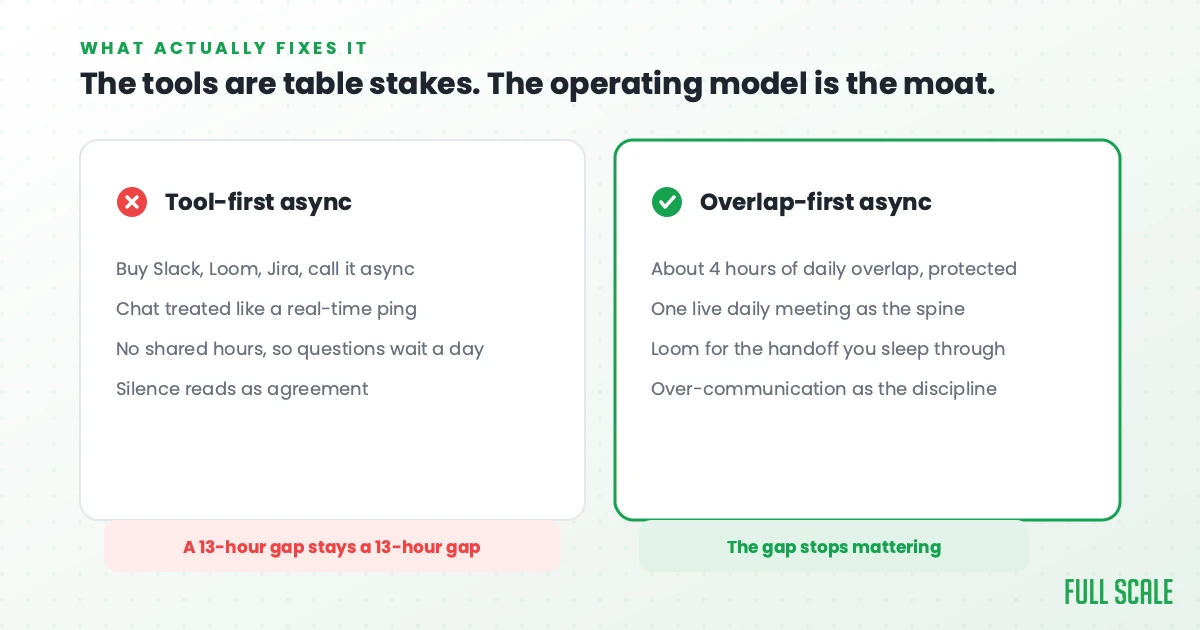
The tools are table stakes, the operating model is the moat
If you take one thing from this, let it be the order of operations. Communication comes first, then cost, then country. I’ve hired developers in a lot of places, and the engagements that fell apart didn’t fail because of the time zone or the talent. They failed because of how they were managed.
The cheapest developer you can find is almost never the answer, and chasing rate alone is a mistake I call cheapshoring. The same logic applies to tools. Any competent team can buy the same software. What separates the teams that make async work from the ones that don’t is the operating model around it: real overlap, a purposeful daily meeting, and the discipline to over-communicate.
That operating model is most of what we sell. At Full Scale we place developers in the Philippines through staff augmentation and run them on exactly this model, with the overlap and the daily rhythm built in from day one. If you want the longer argument for why engineering teams live or die on communication, that’s the spine of my book, Product Driven.
Buy whatever tools you like. Just don’t expect them to do the part that’s actually yours to do.
If you’re weighing how to staff a team that can actually run this way across a time zone, book a call with us and we’ll talk through what it would take.
Frequently asked questions
What are the best asynchronous communication tools for developers?
The most useful ones, grouped by job: Slack or Twist for chat, Loom or Yac for async video, Jira or Linear plus GitHub or GitLab for tracking and code, and Notion or Confluence for documentation. The right set depends on your stack and process, but none of them work without overlap and a daily meeting underneath them.
Can a development team work fully asynchronously with no meetings?
In my experience, no, not reliably. Chat can’t surface confusion the way a face can, and developers tend to guess rather than ask hard questions in text. Fully async only works once a team has built real trust through live time first. Most teams need three to four hours of daily overlap and a short, purposeful daily meeting.
How much time zone overlap do you need for offshore developers?
We require three to four hours a day of overlapping work hours with clients. That’s enough to handle live conversation when it’s needed while protecting the rest of the day for deep, async work. Overlap is a scheduling choice, not a limit set by geography.
Is asynchronous communication good for remote software teams?
Yes, for most of the work. Async protects deep focus, creates a written record, and lets a team cover more hours across time zones. The benefit only holds when async sits on top of a live spine of overlap and over-communication, rather than replacing it.