AngularJS to Angular Migration: The 2026 Decision Guide

In this article
- First, understand what this migration really is
- The decision before the migration: Angular, or something else
- The realistic path: incremental, never big-bang
- What it actually costs
- How AI changes the migration in 2026
- Who should do the migration
- Frequently asked questions
- Get off AngularJS before it costs you
If you’re running an AngularJS application in 2026, you’re running unsupported software. AngularJS, the original 1.x framework, reached end of life on December 31, 2021, which means no more security patches, no fixes, and a talent pool that shrinks every year as developers move on. You already know you have to get off it. The real questions are what to move to, how to do it without taking the app down, and whether it’s worth doing at all. This guide is the decision, not a line-by-line code tutorial.
I run Full Scale, and we staff the engineers who do these migrations, so I’ll be straight about the parts the how-to articles skip: the cost, the realistic path, and who should actually do the work.
Quick Answer: An AngularJS to Angular migration is a full framework rewrite, not a version upgrade, since AngularJS and modern Angular share almost nothing but a name. Since you're rebuilding the front end either way, decide on purpose whether modern Angular or React is the better destination (React's hiring pool is roughly 2.5x larger), then run the migration incrementally using a hybrid app that keeps AngularJS and the new framework running side by side until nothing depends on the old one. Full Scale staffs the engineers who run these migrations without ever freezing the roadmap.
First, understand what this migration really is
The single most important thing to know before you budget this: AngularJS to Angular is a migration to a different framework that happens to share a name, not an upgrade you can bump in place.
AngularJS (version 1.x) and modern Angular (version 2 and up, now at version 22) are separate frameworks. Angular was a complete rewrite, with a different architecture, a different language preference (TypeScript), and a different mental model. You do not “upgrade” from one to the other the way you bump a library version. You rebuild the application’s front end on the new framework, piece by piece. Treating it as a version bump is how teams wildly underestimate the work.
That reframing matters, because once you accept you’re choosing a destination rather than upgrading, a second option opens up.
The decision before the migration: Angular, or something else
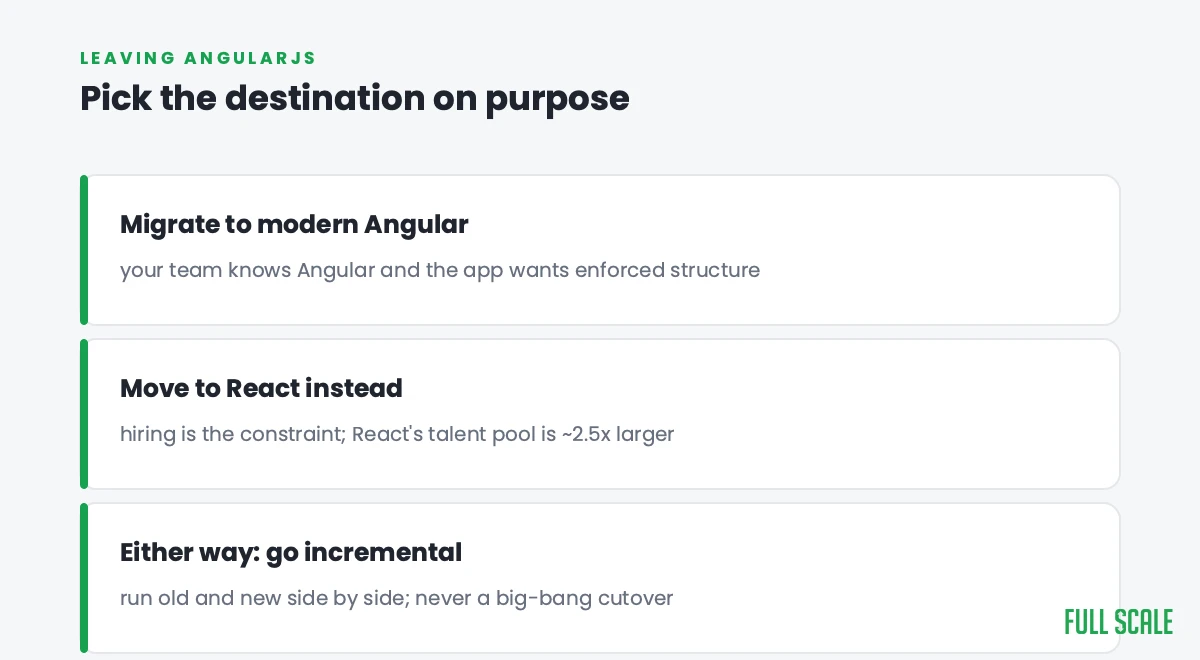
Since you’re rebuilding the front end either way, the honest first question is whether Angular is even the right target. Modern Angular is an excellent choice for large, structured, enterprise applications, and if your team already thinks in Angular’s patterns, staying in the family is the lowest-friction path. But you could also move to React or Vue, and for some teams that’s the better long-term call, especially given React’s far larger hiring pool.
That’s a real decision with real tradeoffs, and we wrote it up in our guide to React vs Angular vs Vue. The short version for a team leaving AngularJS:
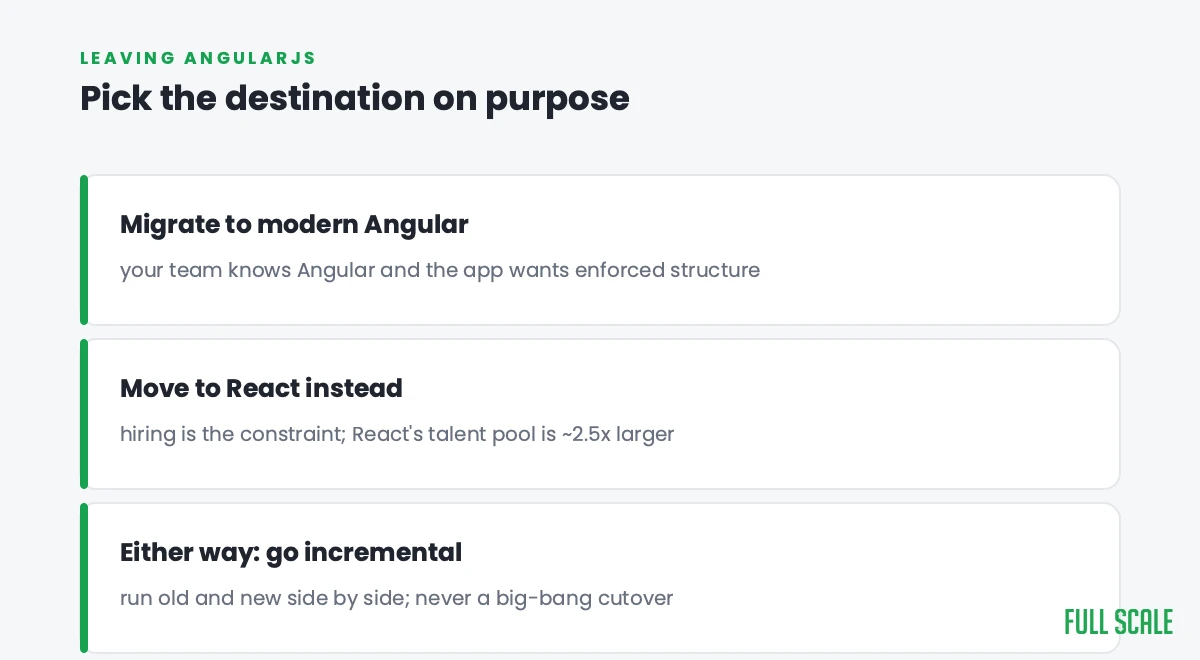
- Choose modern Angular if your team knows Angular, you want one enforced structure, and the app is a large enterprise system that benefits from it.
- Consider React if hiring is your constraint, since the React talent pool is roughly two and a half times larger, or if you want maximum flexibility.
Whichever you pick, the migration mechanics below are similar, because the hard part is the same: replacing a live system without stopping the business.
The realistic path: incremental, never big-bang
The riskiest way to do this migration is the one teams reach for first: freeze the old app, rebuild the whole thing in modern Angular over a year, then flip the switch. That’s how migrations take the product down and blow the budget.
The proven approach is incremental. Angular’s official path supports a hybrid application, where AngularJS and modern Angular run side by side in the same app while you migrate one piece at a time. This is a specific case of the Strangler Fig pattern we describe in our guide to legacy application modernization: you route around the old framework component by component, shipping the whole way, until nothing is left running on AngularJS and you can remove it. The old and new coexist, each migrated screen is a contained, reversible step, and the business never goes dark for a cutover.
Run the migration as a series of small, shippable steps, not one giant rewrite you pray works on launch day.
What it actually costs
There’s no honest single number, because the cost is set by the size of the app and how much of it you choose to rebuild versus retire along the way. But two things drive the budget more than anything else:
- How much of the app is dead. Most aging AngularJS apps carry screens and features nobody uses. The cheapest migration is the one where you retire that code instead of rebuilding it. Audit usage before you scope, not after.
- Whether the team has done it before. A migration is mostly judgment: where the global state is hidden, which AngularJS patterns have no clean modern equivalent, how to stage the cutover. Engineers who’ve done it move far faster than a team learning the hazards in production.
The expensive version of this project is the one where a team treats it as a from-scratch rewrite of everything, including the parts that worked fine. The cheap version is incremental, retires what it can, and is run by people who’ve done it before.
How AI changes the migration in 2026
AI meaningfully lowers the cost of this specific kind of work, because the hardest part of migrating an old AngularJS app is understanding it: undocumented components, original authors long gone, behavior nobody can fully explain. Engineers now use AI to read and map the old codebase, document what each piece does, and draft the first cut of the modern Angular equivalent far faster than by hand.
The limit is the same one that applies everywhere AI touches code: it’s an accelerant, not an autopilot. AI-generated code carries real bug and security risk, so a senior engineer still has to decide what to migrate, what to retire, and review what the AI produced. The migration gets cheaper. The judgment behind it gets more valuable, not less.
Who should do the migration
This is the part the tutorials never address, and it’s the one that decides whether the project succeeds. A migration done by people who don’t understand the business the app runs will rebuild the wrong things and miss the load-bearing ones. A migration handed to a vendor who disappears at the end leaves you with a modern app nobody on your team understands.
The AngularJS talent pool is shrinking, and the modern Angular pool, while healthy, is smaller and harder to hire from than React’s. We staff senior Angular engineers across the Philippines who join your team and do the migration alongside your developers, so the knowledge stays in-house when AngularJS is finally gone. If you want the role defined, see our Angular developer job description; if you’re weighing doing it offshore, see offshore Angular development.
Frequently asked questions
Is AngularJS still supported?
No. AngularJS (the 1.x framework) reached end of life on December 31, 2021. It no longer receives security patches or bug fixes, and running it in production is a growing security and maintenance liability. That’s the main reason teams migrate.
Can you upgrade directly from AngularJS to Angular?
Not as a version upgrade. AngularJS and modern Angular are different frameworks, so moving between them is a migration that rebuilds the front end, not a bump. The supported approach runs both frameworks together in a hybrid app and migrates one piece at a time, rather than converting the code in place.
Should we migrate AngularJS to Angular or to React?
Since you’re rebuilding the front end either way, it’s worth deciding deliberately. Choose modern Angular if your team knows it and the app benefits from Angular’s enforced structure; consider React if hiring is your constraint, since its talent pool is much larger. Our React vs Angular vs Vue guide walks through the tradeoffs.
How long does an AngularJS to Angular migration take?
It depends on the size of the app and how much you rebuild versus retire. A small app can be weeks; a large one runs many months. Doing it incrementally, retiring dead code, and using engineers who’ve done it before are the three biggest levers on the timeline.
Can AI migrate AngularJS to Angular automatically?
AI makes the migration faster, mainly by helping engineers understand the old code and draft the modern equivalent, but it can’t do it unsupervised. AI-generated code carries bug and security risk, so a senior engineer has to decide what to migrate, what to retire, and review the output. It’s an accelerant, not an autopilot.
Get off AngularJS before it costs you
AngularJS isn’t getting more supported, easier to hire for, or safer to run. Every month on it is a little more risk and a little more technical debt. But the migration is very doable when you treat it as a deliberate, incremental rebuild rather than a panic rewrite, decide your destination on purpose, and put people on it who’ve done it before.
If you’d rather not navigate that alone, that’s what we do. Talk to us about your AngularJS migration, and we’ll tell you honestly what to rebuild, what to retire, and what a team to do it looks like.