How AI Has Changed User Experience Strategy

In this article
- What user experience strategy used to mean, and what AI just made free
- A competent baseline looks like everyone else’s competent baseline
- What AI still cannot do is own your design system
- So user experience strategy moved up the stack
- Then watch what people actually do with your product
- If you are deciding whether to still hire designers
- How to build a user experience strategy in the AI era
- Frequently asked questions
Last year I watched someone with no design training produce a clean, modern app interface in about ten minutes. He typed a few sentences into an AI tool, and out came something that looked like a real product. Buttons in the right places. Sensible spacing. A color palette that did not embarrass anyone. It helps to know how AI and machine learning differ before you lean on either.
A few years ago that work would have taken a designer a week.
That moment is the whole story of how AI has changed user experience strategy. The part of UX that used to be slow and expensive, turning an idea into a competent-looking screen, is now close to free. And when the hard part of a job becomes free, the strategy around that job has to change.
I am not a designer. I am a CTO and a four-time founder who has hired and worked alongside dozens of UX designers across Full Scale, VinSolutions, and Stackify. At VinSolutions, our design was part of why auto dealers picked us over bigger, more established competitors. At Stackify, our designers had to make dense, technical monitoring data feel simple to engineers who would abandon a clumsy tool in a week. So this is not another “what is UX strategy” definition written by someone who has never had to pay for it. This is what the shift looks like from the seat of the person writing the checks, and what I think you should do about it.
The short version: AI made the baseline of UX a commodity. Your strategy now lives entirely in the things AI cannot do.
What user experience strategy used to mean, and what AI just made free
A user experience strategy is the plan that connects what your users need, what your business is trying to do, and what your product actually delivers. It is how you decide what to build, in what order, and to what standard, so the product earns its place instead of just shipping.
That definition has not changed. What changed is where the work and the cost used to sit.
For twenty years, a big chunk of UX effort went into production. Turning a rough idea into wireframes, then into mockups, then into a clickable prototype, then into front-end code. Every step took a skilled person real time. The strategy mattered, but the bottleneck was almost always making the thing.
AI removed that bottleneck. Tools like v0, Lovable, Bolt.new, Uizard, and Google’s Stitch (the relaunch of Galileo AI after Google acquired it) will generate a full interface from a text prompt. Figma added its own first-draft generator. Claude can produce a working, interactive UI in a side panel while you watch.
That same shift is starting to change how people find your product in the first place, not just how it gets built. Buyers are asking ChatGPT and Claude what to use before they ever open Google, so part of UX strategy now has to think about whether an AI assistant even mentions you when someone asks. That is the idea behind Claude optimization: treating what these models say about your product as a real part of the experience, not something you find out about by accident.
This is not a fringe behavior anymore. In the 2024 UX Tools Design Tools Survey, 85% of design leaders reported using AI tools in their work. The ability to produce a decent-looking screen stopped being a scarce skill.
Once a working screen is something anyone can produce on demand, making the screen stops being the thing you compete on. The question is no longer “can we build this.” That part is handled. The scarce part of the job moves somewhere else entirely.
A competent baseline looks like everyone else’s competent baseline
Here is the catch that the demos do not show you.
It has never been easier to spin up a pretty good interface from a prompt. The trouble is that the output of those tools looks like every other AI-generated app on the internet. Most of them lean on the same component defaults, so the screens come out clean and generic in the exact same way. Designers have a blunt name for the un-customized result: AI slop.
This is not a hypothetical problem. When Figma first shipped its AI design generator in 2024, it disabled the feature after the outputs too closely resembled existing apps. Figma now calls the tool “a simple jumping-off point.” That is the honest framing for all of these tools.
You might be thinking the fix is just better prompting. Feed it your brand colors, point it at a reference, write a sharper prompt, and the generic look goes away. That gets you a better generic. You can match an interface that already exists, but you are still pattern-matching to what is already out there. Knowing what to differentiate toward, what would actually make your product easier and better to use than the reference, is the part no prompt can supply. That takes knowing your users.
If you want a generic product, the easy baseline is great news. You can get to a working, on-trend interface for almost nothing.
But a competent baseline is now table stakes, not a finish line. Your competitors have the same tools you do. If your whole product looks like the default output of the same generators everyone else is using, you have not differentiated anything. You have just joined the pile faster.
The thing that used to make a product feel custom and considered is now the thing AI hands to everyone at once. That is exactly why it stopped being a strategy.
What AI still cannot do is own your design system
This is the line I would underline for any engineering leader trying to figure out where design still matters.
Nielsen Norman Group, one of the most respected research firms in the field, reviewed the state of AI design tools in May 2025. Their verdict was blunt. The tools have gotten marginally better, but we are “still nowhere near” what the marketing promised, and designers are “not yet in danger of being replaced.” The most important sentence for our purposes: as of mid-2025, “no genAI tool effectively supports design systems.”
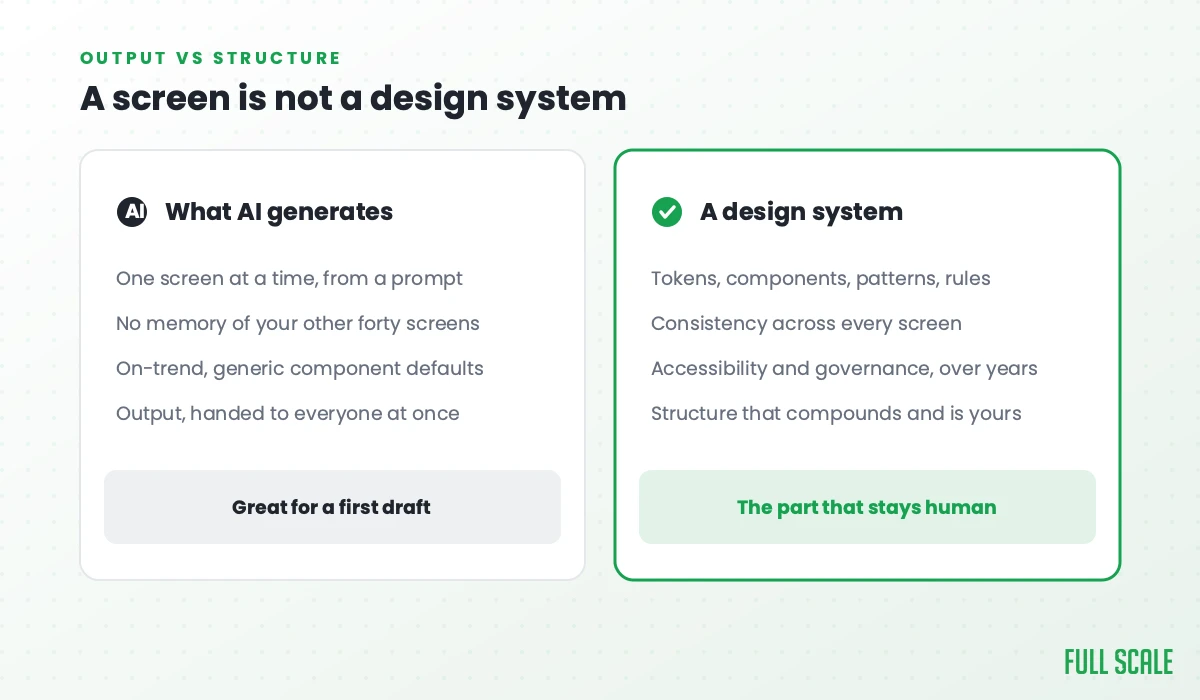
A design system is not a screen. NN/G defines it as “a complete set of standards intended to manage design at scale using reusable components and patterns.” It is the color tokens, the spacing rules, the component library, the interaction patterns, the accessibility standards, and the governance that keeps all of it consistent across every screen and every product you ship, over years.
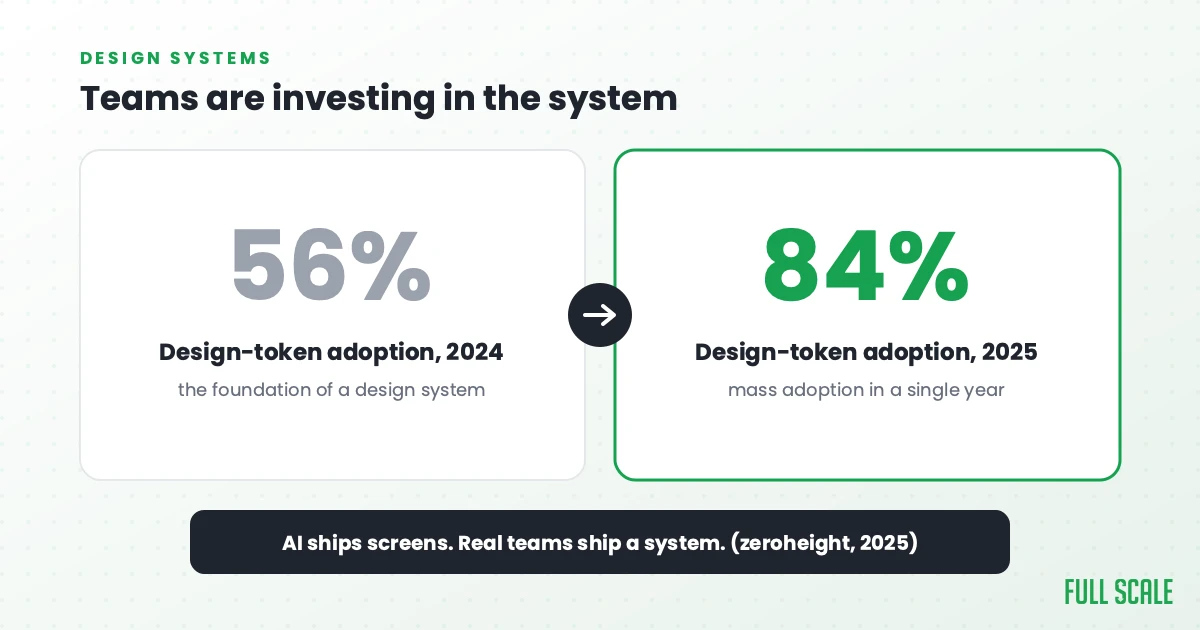
Real teams are investing in this. In zeroheight’s 2025 Design Systems Report, design token adoption jumped from 56% to 84% in a single year, and 79% of teams now have a dedicated design-system function. That is a discipline getting more serious about its foundations.
The tools will keep improving, and some will get better at spitting out token-aware components. But generating a screen and owning a system are different problems. AI generates an isolated screen from a prompt. It does not know your other forty screens. It does not enforce your patterns, respect your accessibility rules, decide the tradeoffs, or keep the whole thing coherent as the product grows over years. It produces output. A design system is structure, and structure is the part that stays hard.
So user experience strategy moved up the stack
AI now produces the baseline interface cheaply, and it cannot own a design system. That leaves your UX strategy made of everything else, which was always the actual point.
The strategy questions worth your time in 2026 are not about production. They are about judgment:
- What makes our product feel different from the generic version a competitor could prompt into existence this afternoon?
- What is our design system, and who owns it as the product grows?
- What do we actually know about our users that our competitors do not, and how did we learn it?
- Where are we willing to spend real design effort to be better, not just faster?
None of those have an AI button. They take research, taste, and someone who has seen what works and what fails across many products.
This is the same idea I keep coming back to in my book, Product Driven. A feature that passes QA but fails the user is still a broken product. If people need instructions to use the thing, it is not done. AI can produce a screen that technically works. It cannot tell you whether that screen solves the right problem for a real person, because it has never talked to your customer. That gap is where good UX has always lived.
And it still pays. McKinsey’s Business Value of Design study, back in 2018, found that the companies that treated design as a strategic priority grew revenue about 32 percentage points faster than their peers over five years. That advantage came from judgment and real user insight, the very things AI cannot replicate.
Then watch what people actually do with your product
Here is the part almost everyone skips. You can research users all day before you build, and then ship the thing and never look at how anyone uses it.
I spent years at Stackify selling engineers tools to monitor their own code, so I find it a little funny that the same company that will page someone at 2am over a slow API call has no idea that two thirds of its users quit on step two of onboarding. Monitor the product the way you monitor the servers. Where do people click, where do they stall, how many actually open the feature that ate a whole quarter of your roadmap. Session recordings and funnel analytics cost almost nothing now, and watching ten real sessions will humble you faster than any survey ever has. You do not need a big sample either. Nielsen Norman Group’s long-standing finding is that testing with just five users surfaces about 85% of a design’s usability problems, so the excuse that you lack the data is almost never true. You lack the ten minutes.
Full Scale has staffed engineering teams for 200+ companies since 2018, and when a client asks where to start instrumenting, this is the short list I give them:
- Funnel drop-off by step. Exactly which onboarding screen loses people, not just that onboarding is “weak.”
- Feature adoption. What percentage of active accounts ever open the feature that ate a quarter of your roadmap.
- Rage clicks and dead clicks. Users telling you something is broken without ever filing a ticket.
- Time to first value. How long from signup to the moment your product does something genuinely useful for them.
- Session recordings of accounts that churned. The most useful and least watched footage in your whole company.
You can get a rough read before launch, too. A predictive eye-tracking tool like Attention Insight runs your mockup through a model trained on real eye-tracking studies and shows you where attention is likely to land, which is a quick sanity check on whether anyone will even see the button your whole business case depends on. Attention Insight puts its heatmaps at up to 96% accurate against real eye-tracking studies, which is the vendor’s own number and worth reading as a vendor’s own number. It is a prediction, not a person, so treat it as a first pass and go get the real usage data once people are in there.
Then close the loop. The usage data tells you where the product is failing, talking to users tells you why, and your designers decide what to change. AI can regenerate that screen in a minute. It will never notice that nobody is using it.
If you are deciding whether to still hire designers
Here is the decision a lot of engineering leaders are quietly making right now: AI can make the screens, so do I still need to pay for designers?
I understand the temptation. When the obvious cost goes away, cutting the role looks like free money.
It is the same mistake as hiring the cheapest possible developer and expecting a great product. I call that cheapshoring, and it works exactly as badly in design. Optimizing for the cheapest path to “a UI exists” gets you a product that looks and feels like it was assembled from defaults, because it was. You save money on the line item and lose it on every customer who picks a competitor that felt better to use.
The honest version of the objection is sharper than cost, though. Couldn’t a capable PM or engineer with good taste and the right AI tools just cover the design now? Early on, sometimes yes. When you are still validating an early product, any reasonable interface will do, and you should not hire a designer before you have users. The trouble is the failure shows up late. You do not see the cost of mediocre UX in the demo. You see it months later, in the support tickets, the churn, and the deals you lose to a product that simply felt better to use.
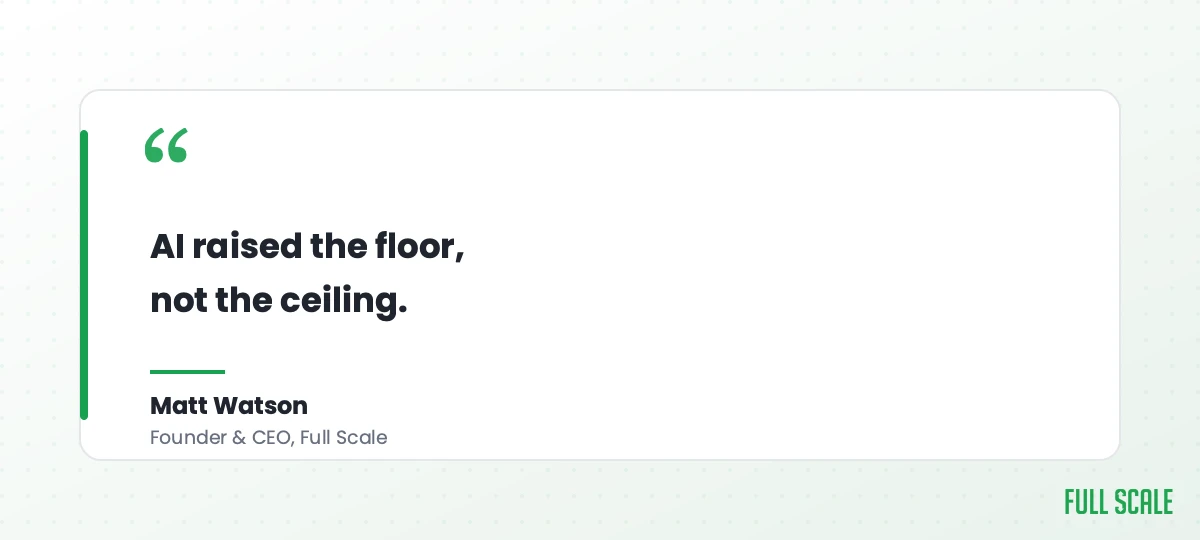
The better way to think about it: AI raised the floor, not the ceiling. A senior designer is more valuable now, not less, because their judgment is no longer spent dragging rectangles around. They point the AI at the baseline work, then put their actual expertise on the things that differentiate you.
It is the same reason I hired an interior designer when I remodeled my house. I have taste. I could have made every call myself based on what I thought looked good. I paid for someone who had worked with dozens of clients and knew what works, what fails, and what I would regret in six months. A senior UX designer does that for your product. They also keep you from mistakes you would only notice after they shipped.
You do not need to choose between AI and designers. The strategy is to use both, on the right work. That is also why we place dedicated UX designers through staff augmentation instead of selling you a stack of AI-generated mockups. The screens were never the scarce part. The judgment is.
How to build a user experience strategy in the AI era
So what does a leader actually do with this? Here is the method I would hand an engineering leader, building the strategy from the ground up.
The basics haven’t changed: align your stakeholders, study your competitors, talk to real users, and set goals you can actually measure. This guide to building a UX strategy covers that groundwork if you want the full version. What follows is what I’d add on top of it now that AI owns the part that used to eat all your time.
One thing first, because sequence matters. Before product-market fit, the generic AI baseline is the right call, and a design system is premature. Ship the cheap interface, find your users, and skip everything below until you have a product worth refining. The steps that follow are for once you have customers worth keeping.
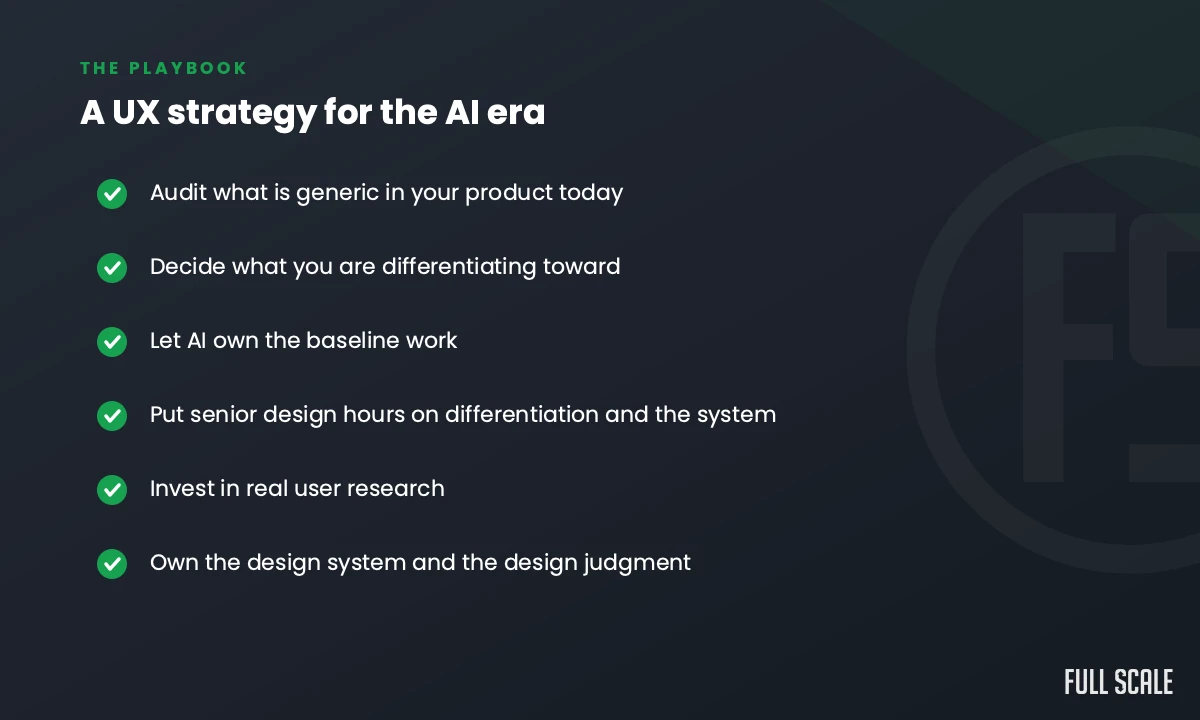
- Audit what is generic in your product today. Go screen by screen and mark everything that could have come out of any AI generator. That is your commodity surface, and it is exactly where you currently look like every competitor.
- Decide what you are differentiating toward. Pick the few experiences that have to be genuinely better than the alternatives, the ones tied to why customers choose you. This is a product judgment, and it needs real knowledge of your users, not a prompt.
- Let AI own the baseline. First drafts, layout variations, boilerplate screens, quick prototypes. The tools are genuinely good at this, and putting a senior person on it now is waste.
- Spend your senior design hours on the differentiation and the system. The parts that make the product yours, and the design system that keeps it coherent as it grows. This is where the design budget should go.
- Invest in real user research, and instrument the product. This is the one input AI cannot manufacture, however confident its synthetic answers sound. NN/G is clear that AI-generated user feedback is a supplement, not a substitute for talking to real people. Pair that with analytics and session recordings of what users actually do once they are in the product.
- Stand up a design system, and put someone in charge of judgment. Tokens, components, patterns, accessibility, and governance, plus a human who owns whether the AI output is any good before it ships. When anyone can generate a screen, deciding whether it is good becomes the bottleneck. That is the same shift happening across the whole team as the lines between roles blur.
Do that, and AI becomes the best thing that ever happened to your design practice. Skip it, and you ship the same product as everyone else, just sooner.
Frequently asked questions
Has AI replaced UX designers?
No. As of 2025, Nielsen Norman Group’s research found that AI design tools are “still nowhere near” their promise and that designers are “not yet in danger of being replaced.” AI handles production tasks like first drafts and layout variations well. It does not own user research, design strategy, or design systems, which is where most of a senior designer’s value actually sits. The role is shifting toward judgment and direction.
Can AI build a design system?
No, not the system itself. AI can generate isolated screens and components, but as of mid-2025 Nielsen Norman Group found that “no genAI tool effectively supports design systems.” A design system is the standards, tokens, components, patterns, and governance that keep design consistent across an entire product over time. That requires structure and ongoing ownership, which stays human work.
What is a user experience strategy?
A user experience strategy is the plan that aligns user needs, business goals, and product decisions so every design choice adds real value. It covers what you build, in what order, and to what standard. In the AI era, the production side is largely automated, so a good strategy now focuses on differentiation, user research, and the design system rather than the speed of making screens.
Should a startup hire a UX designer or just use AI tools?
Use both, on different work. AI tools can carry early prototyping and baseline screens cheaply, which is great when you are validating an idea. But if the product is your business, you need a designer’s judgment on what makes it different and usable, plus ownership of the design system as you grow. Cutting design entirely to save money usually shows up as a generic product that loses to competitors who invested.
How do you monitor how users actually use your product?
Instrument the product the same way you instrument your infrastructure. Track funnel drop-off by onboarding step, feature adoption as a percentage of active accounts, rage and dead clicks, and time to first value, then watch session recordings from the accounts that churned. Nielsen Norman Group found that testing with just five users surfaces about 85% of usability problems, so sample size is rarely the blocker. Predictive eye-tracking tools give you a pre-launch estimate of where attention lands, but they model behavior rather than observe it, so they supplement real usage data instead of replacing it.
Which AI design tools are worth using?
The common ones in 2026 include v0, Lovable, Bolt.new, Uizard, Google Stitch, Figma’s built-in AI features, and Claude for generating interactive UI. They are useful for first drafts, prototypes, and component scaffolding. Treat their output as a starting point, not a finished design, and expect to customize heavily so your product does not look like every other AI-generated app.
Your screens are no longer the hard part. Your strategy is. If you want senior designers and engineers who can do the judgment work AI cannot, let’s talk about your team.