.NET Framework to .NET Core Migration: A Decision Guide From a Team That’s Done It

In this article
- First, the naming: “.NET Core” is just “.NET” now
- Why this migration is worth doing
- The real blockers (the part the porting docs gloss over)
- How we did it at Stackify
- The realistic path: incremental, never big-bang
- How AI changes the migration
- Who should do the migration
- Frequently asked questions
- Get onto the platform that’s still moving
Most guides to .NET Framework to .NET Core migration are porting tutorials: how to convert the project file, which APIs moved, what to install. Useful once you’ve decided to go, but they skip the parts a decision-maker actually needs. What breaks and how hard it is to fix. What it costs. Whether to do it at all. And what it looks like when a real team does this at scale, not in a sample app.
I can speak to that last part directly. At Stackify, the developer-tools company I founded, we peeled apart a large .NET Framework application and moved off WCF, with all the complexity that came with it, to new .NET Core Web API services. These were the APIs taking in billions of data points a day on Azure, so this was not a toy migration, and moving them to .NET Core was a massive upgrade. It was a major modernization project, and it was a big success for us. I run Full Scale now, and we staff the engineers who do these migrations, so this guide is the decision and the experience, not just the mechanics.
First, the naming: “.NET Core” is just “.NET” now
A quick clarification, because it confuses the budget conversation. “.NET Core” was the name for versions 1.0 through 3.1. Microsoft dropped “Core” from the name with .NET 5 in 2020, and the current long-term-support release is .NET 10. So when people search for “.NET Framework to .NET Core migration,” what they almost always mean today is migrating from the old Windows-only .NET Framework to modern, cross-platform .NET. Same migration, current name.
Why this migration is worth doing
.NET Framework isn’t getting better. Version 4.8.1 is effectively the end of the line; it’s still supported because it ships with Windows, but it receives no new features, only security and reliability fixes. Everything Microsoft is actually building goes into modern .NET. Staying on Framework means falling further behind every year on performance, tooling, and the talent that wants to work on current technology.
Modern .NET is a genuinely different proposition:
- It’s cross-platform. Your app runs on Linux in containers, which means cheaper hosting and no Windows Server licensing. This was a real part of our Stackify win: getting off Windows-only infrastructure and onto Linux in Kubernetes changed our cost and scaling story.
- It’s faster. Kestrel, the modern runtime, and Native AOT put ASP.NET Core among the fastest mainstream web frameworks, well ahead of the old Framework.
- It’s actively developed and easier to hire for. New .NET features, AI tooling, and the developers who want to use them are all on modern .NET.
Migrating off .NET Framework isn’t chasing novelty. It’s getting your app onto the platform that’s still moving, before the gap gets expensive.
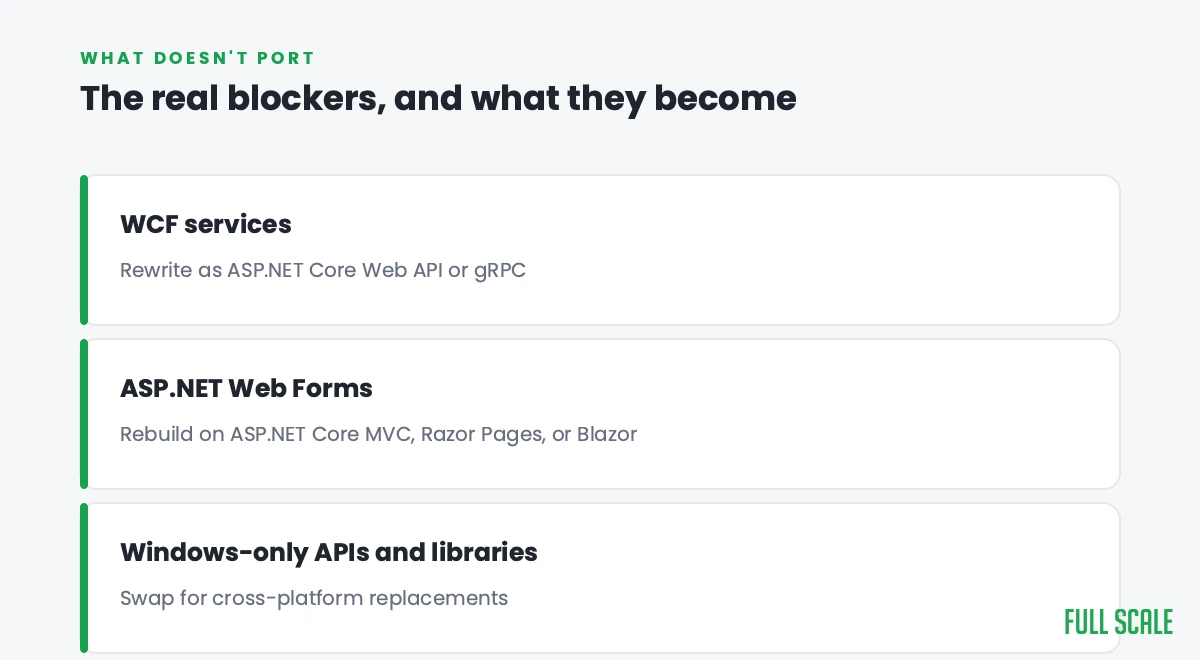
The real blockers (the part the porting docs gloss over)
The reason this migration is more than a project-file conversion is that some big pieces of .NET Framework simply don’t exist in modern .NET. These are where the work and the risk live:
- WCF. Windows Communication Foundation, the old framework for services, isn’t in modern .NET. This is the classic blocker, and it was the heart of our Stackify migration. You don’t port WCF; you replace it, usually by rewriting those services as ASP.NET Core Web APIs or gRPC. (A community project, CoreWCF, covers some client scenarios, but the real modernization is moving to Web APIs.)
- Web Forms. ASP.NET Web Forms was never ported. Those apps get rebuilt on ASP.NET Core MVC, Razor Pages, or Blazor.
- Windows-only APIs and dependencies. Anything that reaches into the Windows registry, the GAC, or Windows-specific libraries needs a cross-platform replacement, and some third-party packages never made the jump.
A good migration starts by inventorying these, because they, not the easy 80% of the code, determine the timeline.
How we did it at Stackify
Our migration was, at its core, a WCF problem. We had a large .NET Framework application leaning heavily on WCF services, and those services were taking in billions of data points a day from customer applications into our APIs on Azure. At that volume, WCF’s complexity stopped being an annoyance and started being a real constraint on how we scaled, the sort of thing where every change is a negotiation with the framework. Modern .NET gave us a way out.
We peeled the application apart instead of rewriting it in one shot. Service by service, we stood up new .NET Core Web API services to replace the WCF ones, and we ran them on Linux in Kubernetes, off the Windows-only world the old app had lived in. The old and the new ran together while we migrated, so the product never stopped ingesting data. By the end we had modern, containerized services that were cheaper to run and far easier to scale at billions of data points a day, and the WCF complexity was gone. It was a massive upgrade, and one of the more satisfying modernization projects I’ve been part of, precisely because we did it incrementally and it never turned into a death-march rewrite.
The realistic path: incremental, never big-bang
That incremental approach is the lesson worth generalizing. The riskiest way to do this migration is to freeze the old app, rebuild everything on modern .NET, and cut over on one terrifying night. The safe way is the Strangler Fig pattern we describe in our guide to legacy application modernization: migrate one service or module at a time, run the old and new side by side, and route traffic to each new piece only once it’s proven.
The mechanical parts have help. Microsoft’s .NET Upgrade Assistant and AWS Transform can automate a meaningful share of the project-file conversion, API mapping, and the first cut of the port. They don’t make the WCF or Web Forms decisions for you, which is exactly where the judgment lives, but they take the tedium out of the parts that are tedium.
How AI changes the migration
AI lowers the cost of the hardest part, which is understanding an old codebase well enough to safely change it. Engineers now use AI to map dependencies, document what undocumented services actually do, and draft the modern .NET equivalent of an old WCF or Web Forms component far faster than by hand. The honest limit is the same everywhere: AI-generated code carries real bug and security risk, so a senior engineer still owns the decisions and reviews the output. It makes the migration cheaper, not autonomous.
Who should do the migration
This is where the project succeeds or fails. The teams that botch a .NET Framework migration almost always do it by treating it as a from-scratch rewrite, or by handing it to people who don’t understand the application’s behavior and rebuild the wrong things (one of the most common application modernization challenges). The teams that succeed do it incrementally, with senior .NET engineers who’ve seen the WCF and Web Forms traps before. The broader version of that judgment call is refactor vs rewrite.
We staff exactly those engineers across the Philippines, embedded in your team so the modernized system is one your developers still understand at the end. If you want the role defined, see our .NET developer job description; if you’re still choosing the destination stack, our .NET vs Java guide covers that decision.
Frequently asked questions
Is .NET Framework being discontinued?
Not abruptly. .NET Framework 4.8.1 is the final version and remains supported because it ships with Windows, but it gets no new features, only security and reliability fixes. All new development goes into modern .NET, so Framework is a slowly widening liability rather than a sudden cutoff.
What is the difference between .NET Framework and .NET Core?
.NET Framework is the original Windows-only platform. .NET Core was the cross-platform, open-source rewrite (versions 1.0 to 3.1), which Microsoft renamed simply “.NET” starting with .NET 5; the current release is .NET 10. Migrating from Framework to “Core” today means moving to modern, cross-platform .NET.
What’s the hardest part of migrating from .NET Framework to .NET Core?
The pieces of .NET Framework that don’t exist in modern .NET, chiefly WCF and Web Forms, plus any Windows-only APIs and third-party libraries that never ported. The bulk of the code converts cleanly; these specific blockers, which have to be rewritten rather than ported, are what set the timeline.
Can you migrate .NET Framework to .NET Core incrementally?
Yes, and you should. Using the Strangler Fig pattern, you migrate one service or module at a time and run the old and new side by side, so the application keeps working throughout instead of relying on a single risky cutover. That’s how we did it at Stackify, replacing WCF services with .NET Core Web APIs piece by piece.
How does AI help with .NET migration?
AI speeds up the hardest part, understanding the old code, and can draft the modern .NET equivalent of legacy components, while tools like the .NET Upgrade Assistant and AWS Transform automate much of the mechanical conversion. But AI-generated code carries bug and security risk, so a senior engineer still makes the architecture decisions and reviews the output.
Get onto the platform that’s still moving
.NET Framework will keep running, but it will keep falling behind, and every year on it is a little more cost and risk and a little less access to current tooling and talent. The migration is very doable when you treat it as an incremental rebuild around the real blockers, lean on the tooling for the tedious parts, and put senior engineers on the judgment calls, in-house or through offshore .NET developers who have handled a migration like this before. We did it at scale at Stackify, and it was worth it.
If you’d rather not navigate it alone, that’s what we do. Talk to us about your .NET migration, and we’ll tell you honestly what to port, what to rewrite, and what a team to do it looks like.