Vue 2 to Vue 3 Migration: How to Move a Live App Without Breaking It

In this article
Vue 2 reached end of life on December 31, 2023. If your app is still on it, you’re now running a framework that gets no security patches and no fixes, on top of a plugin and tooling world that has steadily moved to Vue 3. A Vue 2 to Vue 3 migration is no longer an upgrade you do for the new features; it’s maintenance you do to stay safe and hireable. The reassuring part is that Vue gave this migration an unusually gentle on-ramp, and with the right plan it doesn’t require freezing your roadmap.
I run Full Scale, and we staff the front-end engineers who handle this work. Here’s the honest version of what a Vue 2 to Vue 3 migration involves, what actually changes, and how to do it incrementally.
Quick Answer: A Vue 2 to Vue 3 migration is no longer optional, since Vue 2 reached end of life in December 2023 and gets no more security patches. The safest way to run it is with Vue's own official migration build: a version of Vue 3 that runs in a Vue 2-compatible mode and warns you at runtime about every deprecated pattern your app uses. Get a test suite in place, switch to the migration build, fix the warnings component by component while you keep shipping, then turn off compatibility mode once they're gone. Full Scale staffs the front-end engineers who run these migrations without freezing the roadmap.
Why Vue 2 can’t stay in production
The reasons stack up quickly:
- No more security support. Vue 2 stopped receiving updates at the end of 2023. Anything found since is unpatched.
- The plugin world moved to Vue 3. Component libraries, tooling, and the wider Vue toolchain target Vue 3 now, so staying on 2 means freezing on old, unmaintained versions of everything around it.
- Vite and modern tooling assume Vue 3. The current build and developer-experience story is built around Vue 3, and you can’t take advantage of it from Vue 2.
- Hiring gets harder. New front-end engineers want to work in the current version, and the gap only widens.
What actually changes from Vue 2 to Vue 3
A lot of Vue 2 code moves over with little drama, but a known set of changes is where the work concentrates:
- The Composition API. Vue 3’s headline addition. You don’t have to rewrite everything into it, the Options API still works, but it changes how new and refactored components are best written.
- Breaking global API changes. How you create and configure an app changed, along with several global methods, which touches your app’s entry point and plugins.
- Removed and changed features. Filters are gone, some lifecycle hooks were renamed, and
v-modelon components works differently. These are the edits that show up across many components. - Reactivity rewrite. Vue 3’s reactivity is based on proxies, which removes old Vue 2 caveats around adding properties but can surface code that quietly depended on the old behavior.
- Surrounding library versions. Vue Router and the state layer (moving from Vuex toward Pinia) have their own version jumps that ride along with the migration.
The migration build is your safety rope
The single most important thing to know about this migration is that Vue ships an official migration build: a version of Vue 3 that runs in a Vue 2-compatible mode and warns you, at runtime, about every deprecated thing your app is using. That changes the whole risk profile.
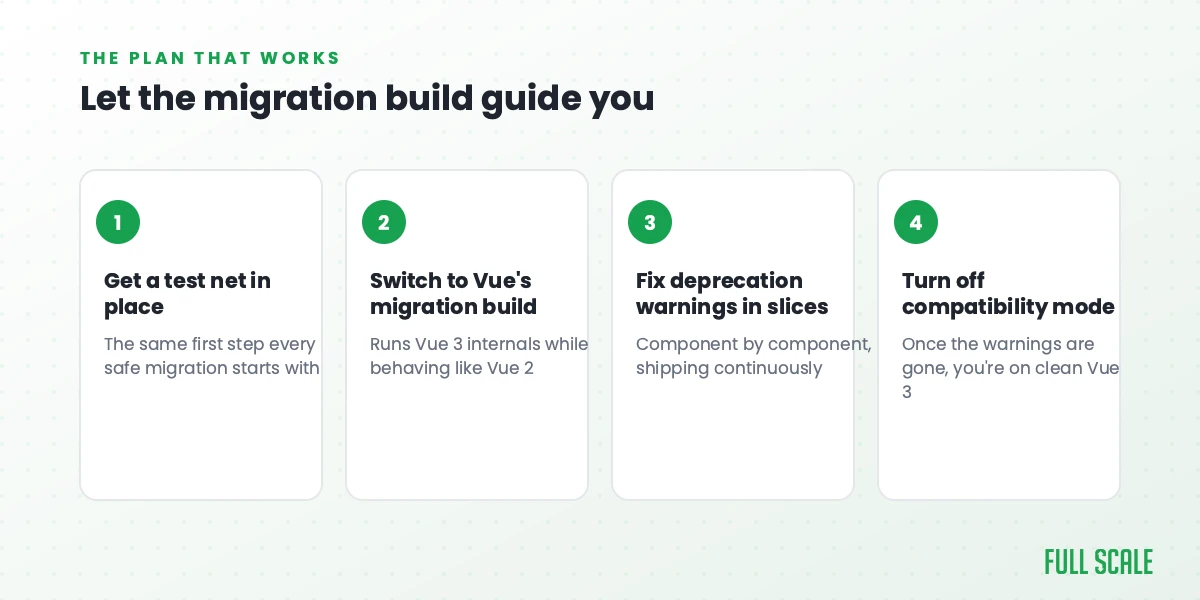
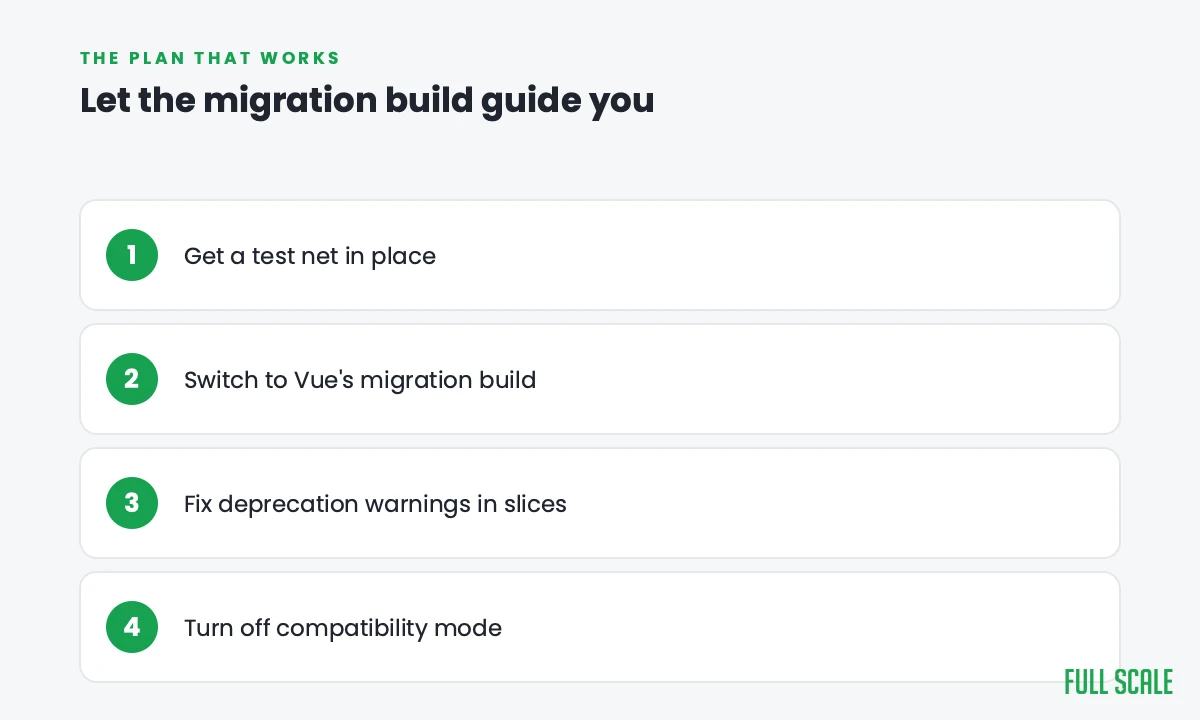
The plan that works:
- Get a test net in place around the behavior you can’t break, the same first step every safe migration starts with.
- Switch to the migration build so the app runs on Vue 3 internals while still behaving like Vue 2, and start working through the deprecation warnings it surfaces.
- Fix warnings in slices, component by component, shipping continuously instead of holding everything for one giant release.
- Turn off compatibility mode once the warnings are gone, and you’re on clean Vue 3.
That’s the Strangler pattern for a framework upgrade: the app keeps running and shipping the entire time, and you’re never betting the product on a single big-bang cutover. If your situation is less “upgrade in place” and more “this is the moment to rebuild,” that’s the refactor vs rewrite call, and it’s worth making deliberately.
How AI changes a Vue 2 to Vue 3 migration
AI is well-suited to the repetitive heart of this migration. A huge share of the work is the same handful of edits repeated across dozens or hundreds of components: updating removed features, converting filters, adjusting v-model usage, optionally refactoring toward the Composition API. AI can read a Vue 2 component, explain it, and propose the Vue 3 version far faster than doing each by hand, which is exactly the kind of pattern-matching it’s good at.
The catch is the usual one. AI-generated code carries real bug and security risk, and the subtle reactivity changes are the kind of thing an automated rewrite can get plausibly-but-wrongly. So AI accelerates the grind while a senior engineer owns the architecture decisions and reviews the edge cases. The broader set of ways these projects go wrong is in application modernization challenges.
Who should do the work
A Vue 2 to Vue 3 migration is a strong fit for adding experienced front-end engineers to your existing team rather than outsourcing it to a vendor who hands back a black box, because someone has to own the Vue 3 codebase long after the migration ends. Full Scale places senior Vue developers who work inside your repo and your standups, so the Vue 3 knowledge stays with your team. If you’re growing the front-end team around this, our Vue developer job description covers what to hire for.
Frequently asked questions
Is Vue 2 still supported?
No. Vue 2 reached end of life on December 31, 2023, and no longer receives security patches or fixes. Running it in production leaves any newly discovered vulnerability unpatched, and most of the surrounding plugin and tooling world has already moved to Vue 3.
Do I have to rewrite everything into the Composition API?
No. The Options API still works in Vue 3, so you don’t have to convert existing components to the Composition API to migrate. Many teams adopt the Composition API gradually for new and refactored components while leaving working Options API code alone.
How do you migrate from Vue 2 to Vue 3 without a big rewrite?
Use Vue’s official migration build, which runs Vue 3 in a Vue 2-compatible mode and emits runtime warnings for everything deprecated in your app. You work through those warnings component by component while the app keeps running, then disable compatibility mode once they’re resolved, avoiding a single risky cutover.
What is the hardest part of a Vue 2 to Vue 3 migration?
Usually the combination of global API changes at the app’s entry point and the surrounding version jumps, like Vue Router and moving from Vuex to Pinia, rather than the per-component edits. The reactivity rewrite can also surface code that silently depended on Vue 2’s old behavior.
How long does a Vue 2 to Vue 3 migration take?
It scales with the number of components and how much your app leans on removed features and the surrounding libraries. A small app can move in weeks using the migration build; a large one with heavy Vuex and plugin usage takes longer, and the work is paced by how incrementally you can ship the fixes.
You don’t have to freeze the roadmap
A Vue 2 to Vue 3 migration feels risky because it touches everything, but Vue built the on-ramp precisely so you don’t have to do it all at once. Get your tests in place, run the migration build, clear the warnings in slices, and you stay shipping the whole way.
If you’d rather do it with engineers who’ve migrated production Vue apps before, that’s what we do. Talk to us about your migration, and we’ll tell you honestly what it’ll take.