Secure Software Development: 15 Best Practices for the AI Era

In this article
- What secure software development actually means
- Why AI changed secure software development
- The 15 best practices for secure software development
- Securing a distributed or offshore development team
- Secure software development is a leadership problem, not a checklist
- Frequently asked questions
- Build secure software with a team you can trust
In 2026, Google’s CEO said 75 percent of the company’s new code is now written by AI. Around the same time, Veracode tested the AI tools everyone is using and found that nearly half the code they produced shipped with a known security hole. The newer, smarter models were no safer than the older ones.
Put those two facts next to each other and you have the whole problem.
Secure software development stopped being a checklist the day AI started writing the code.
I’ve been on the hook for this personally. My first product idea at Stackify was secure access to production servers. The product we actually shipped was an application performance monitoring tool, and it ran on our customers’ live production logs and errors. Those can hold the exact stuff you never want leaking: access tokens, passwords, customer data. If we got security wrong, it wasn’t a bug report. It was somebody else’s breach. The same lesson holds once your team is distributed: most of what protects you is operational, which is why I wrote a separate guide on securing a remote or offshore team.
So when I read another “15 best practices” post that treats security like a list you tape to the wall, I understand why none of them rank for the people who actually own this decision. Writing the list was never the hard part. The hard part is knowing whether the code your team (or your AI) just wrote is actually safe, and having people who will say so when it isn’t.
This is a guide to secure software development for the engineering leader who’s accountable when it goes wrong. The 15 practices are all here, because you need them. But they only work if the team and the process around them actually carry them, and in 2026 that means dealing with a lot of code nobody on your team wrote by hand.
Quick Answer: Secure software development means building security into every phase of making software, design, code, test, deploy, and maintain, instead of checking for it right before launch. The core practices are shifting security left, threat modeling, secure coding standards, reviewing every change (AI-generated code hardest of all), managing secrets, enforcing least privilege, encrypting data, automating security scanning, hardening configuration, and keeping a patch and incident response plan ready. In 2026 the practices haven't changed, but the job has: a large share of AI-generated code ships with a known security flaw, so a human still has to review and own every line before it ships. Full Scale builds engineering teams that treat that review as the job, not an afterthought.
What secure software development actually means
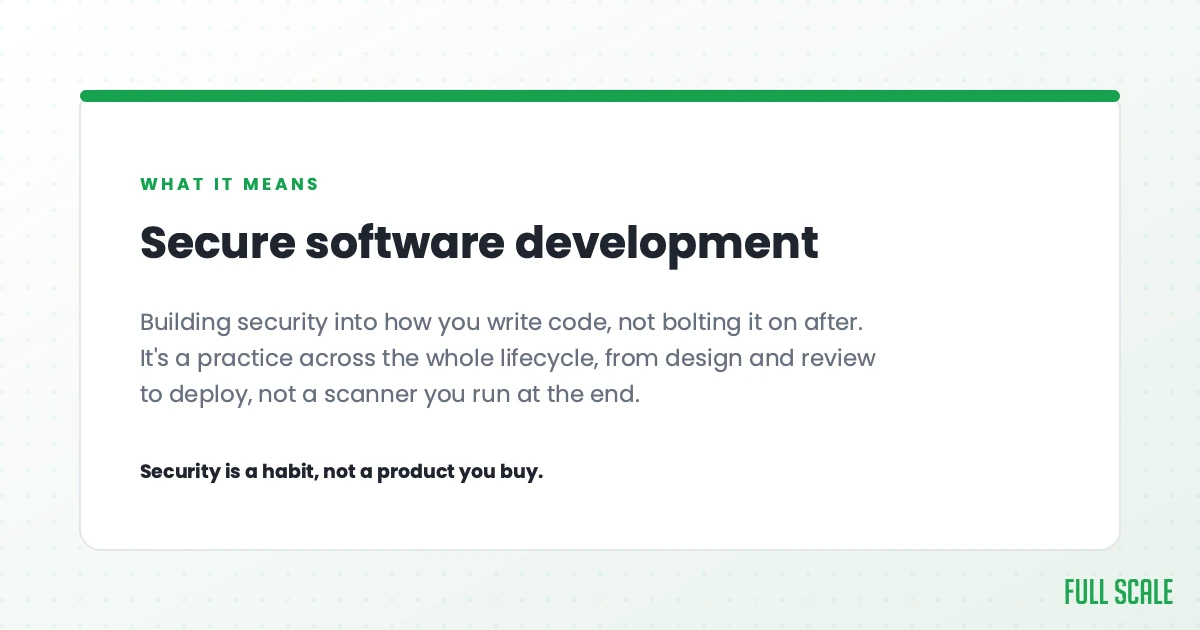
Secure software development is the practice of building security into every stage of how you make software, from the first design conversation through code review to whatever happens after you ship. It’s the opposite of the old model, where you built the thing and handed it to a security team to “check” right before launch. By then the expensive mistakes are already baked in.
The structured version of this has a name: the secure software development lifecycle, or secure SDLC. It’s the same phases your team already runs (design, build, test, deploy, maintain) with security treated as a requirement inside each one, not a gate bolted onto the end.
If you want an authoritative backbone instead of one vendor’s opinion, the U.S. government publishes one. The NIST Secure Software Development Framework (SSDF) sorts the whole job into four groups: prepare the organization, protect the software, produce well-secured software, and respond to vulnerabilities. You don’t have to adopt it formally. It’s just a useful way to check that your own approach covers all four, instead of obsessing over secure coding and forgetting you also have to respond when something slips through.
Plenty of teams also write a secure software development policy. That’s a short document stating what your security standards are and who’s responsible for them. The document itself isn’t really the point. Writing it forces you to decide what “secure enough” means while you’re calm, instead of arguing about it in the middle of an incident.
Why AI changed secure software development
AI now writes a huge share of production code, and reviews it far less carefully than a human would. That's what's different now, and why a best-practices list from a few years ago won't save you.
AI is writing a huge share of the code. Google is at 75 percent of new code, and Microsoft has said as much as 30 percent of its code is AI-written. The 2025 Stack Overflow Developer Survey found 84 percent of developers use or plan to use AI tools. Whatever your team tells you, assume a real chunk of what’s landing in your codebase came out of a model.
Now the uncomfortable part. That same Stack Overflow survey found that nearly half of developers (46 percent) actively distrust the accuracy of AI output. And Veracode’s study found that 45 percent of AI-generated code introduced a flaw from the OWASP Top 10, the Open Worldwide Application Security Project’s list of the most common security weaknesses. The finding that should worry you most: security did not improve with model size. Bigger models wrote more code that worked, but not more code that was safe. The models are not going to grow out of this on their own.
AI can write most of your code. Your team is still responsible for all of it.
That part doesn’t change. The AI didn’t sign your customer contract or carry your compliance attestation, and it’s not the one getting paged at 3 a.m. when production goes down. When something goes wrong, a human owns it, which means a human had better have reviewed it. Security is one of the higher-stakes risks in software development, the kind of code that earns the deepest review.
Even Google, the company telling everyone that 75 percent of its code is AI-written, is careful to add that every line is still reviewed and approved by an engineer before it ships. That’s the model to copy. The work that takes real skill has shifted onto review: someone has to read code nobody on your team actually wrote and catch the security holes a model slipped in without noticing. Unreviewed AI output is just technical debt you can’t see yet, and some of that debt is a vulnerability.
NIST treats this as a real shift, not hype. It has finalized a secure-development profile built specifically for generative AI on top of its main framework. When the standards body adds a whole document for AI code, the conversation has moved.
None of this makes AI the enemy of security. It also speeds up scanning, review, and the work of catching known vulnerabilities, and that genuinely helps. What it doesn’t do is take the responsibility off a person. If anything, AI raises the bar for senior judgment on your team. The person doing the review matters more than ever.
The 15 best practices for secure software development
These hold whether your code is written by a person or a model. I’ve grouped them by where they fall in your process, because security that lives in only one phase isn’t security.
Start before anyone writes code
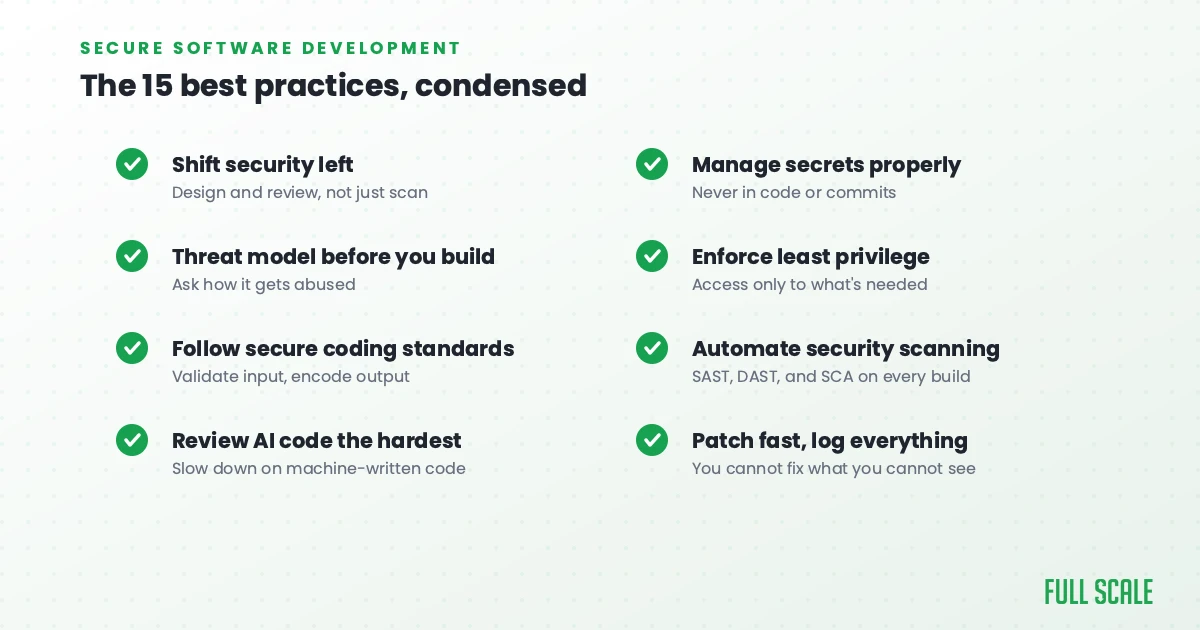
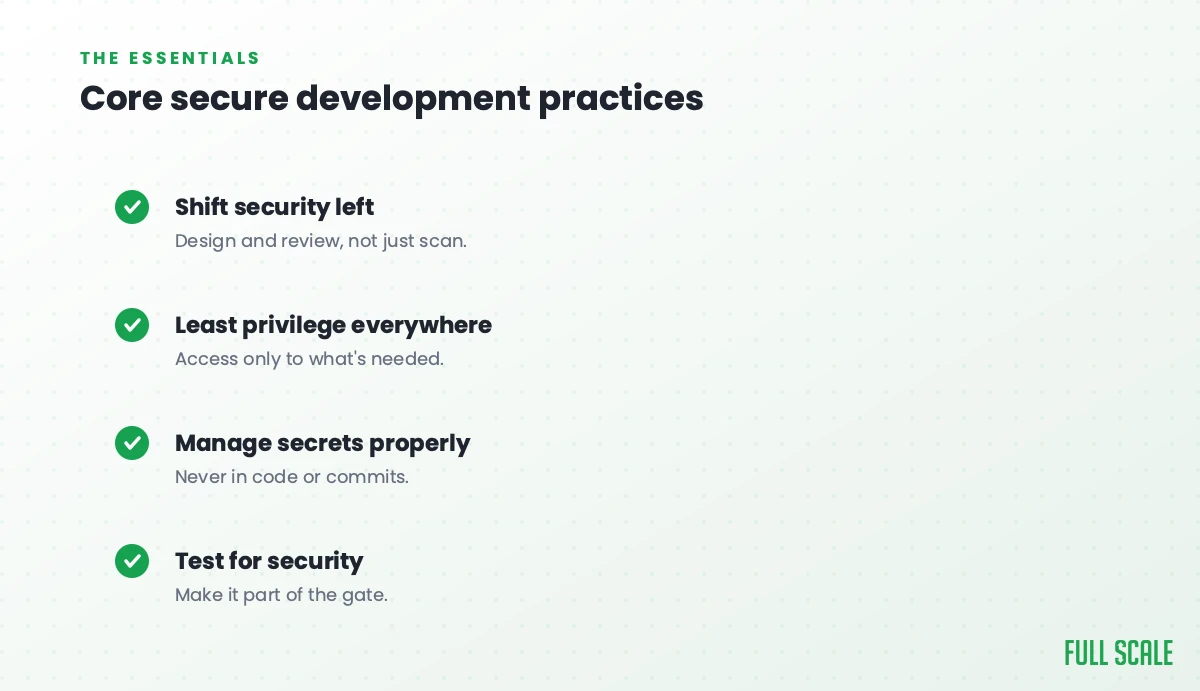
- Shift security left. The cheapest moment to fix a security flaw is in the design conversation, before it’s been written, reviewed, merged, and shipped to a thousand customers. Make security part of every phase, not a final gate.
- Write a secure development policy. Keep it short and plain: what your standards are, and who owns them. Deciding what “secure enough” means while you’re calm beats deciding it during a breach.
- Threat model and design for security. OWASP added insecure design to its Top 10 in 2021 because some flaws can’t be patched later. The system was simply never built to defend against the attack. Ask “how would someone abuse this?” before you build it. This is exactly the work AI does not do for you. A model writes the code you ask for, it doesn’t question whether the design is safe.
- Define your security requirements up front. Treat “the app must encrypt customer data” like any other requirement: written down, assigned, and tested. Vague security requirements produce vague security.
Write and review the code
- Follow secure coding standards. Validate every input, encode your output, handle errors without spilling system details, and never trust data coming from outside your system. Most breaches still trace back to these basics, which is also the first thing to check in AI-written code, because it’s where a model quietly skips them most often.
- Review every change, and review AI code the hardest. The dangerous AI failures are the ones that look completely fine and quietly do the wrong thing, the kind that sail through a fast “I read the diff, looks good” review. Slow down on machine-written code. This is part of why AI made QA a bigger job, not a smaller one.
- Keep secrets out of your code. No hardcoded passwords, keys, or tokens. Use a secrets manager, and keep your development, staging, and production environments separate.
- Enforce least privilege and strong authentication. Give every person and service the minimum access they need, and require multi-factor authentication for anything sensitive. A stolen low-privilege account shouldn’t be able to burn the whole house down.
- Encrypt sensitive data, at rest and in transit. If data is worth storing or sending, it’s worth encrypting. That way a leak gives an attacker scrambled junk instead of your customers’ information.
Test, automate, and harden
- Automate security scanning in your pipeline. Static application security testing (SAST) reads your source code for known weak spots, dynamic application security testing (DAST) attacks the running app, and software composition analysis (SCA) checks your dependencies. Run them on every build so a tired human doesn’t have to remember.
- Lock down your software supply chain. Most modern software is third-party libraries you didn’t write, and attackers know it. Sonatype found more than 454,000 new malicious open-source packages in 2025, a number that keeps climbing year over year. Know what you depend on, and keep it updated.
- Harden your configuration and ship secure defaults. Misconfigured servers, open storage buckets, and default passwords cause more breaches than exotic hacks. Lock down servers, databases, and cloud settings, and make the secure setting the default one.
Ship, watch, and respond
- Log and monitor so you can actually see an attack. You can’t respond to what you can’t see. Keep security logs, watch them, and set alerts on the suspicious patterns so you catch trouble early instead of reading about it later.
- Patch fast and run a vulnerability response process. Known, unpatched vulnerabilities are how a lot of companies get hit. Have a clear path for tracking, prioritizing, and fixing them, and a target for how quickly the urgent ones get closed.
- Train your team and keep an incident response plan. Train developers on secure coding and, now, on how to review AI-generated code. Then write down the plan for when something goes wrong, because the middle of a breach is the worst time to figure out who calls the lawyer.
Securing a distributed or offshore development team
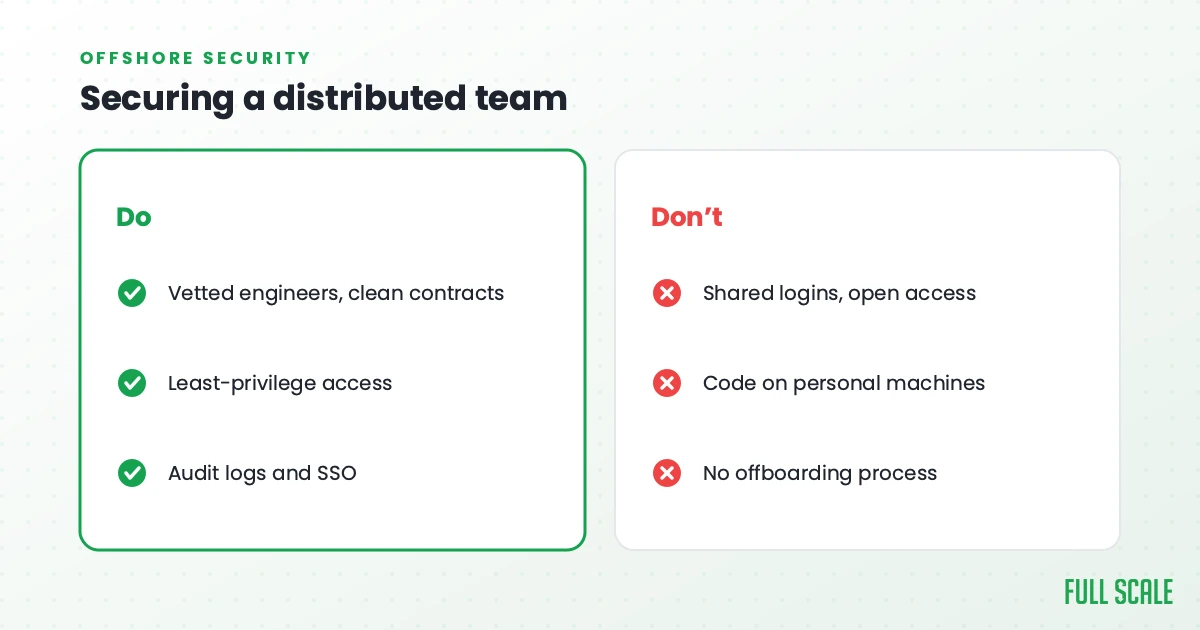
Most teams aren’t all in one building anymore. Your developers are remote, some are contractors, some are offshore, and every one of them touches your source code and your data. That’s a security question, and it’s the one every other best-practices guide skips.
I run Full Scale, an offshore software development company, so I’ll be direct about where the real risk sits. The risk has almost nothing to do with the country your developers live in. What actually protects your code is the engagement model and the contract chain behind the people touching it.
Bringing in anyone outside your own payroll does add some access to your code. That’s true of a freelancer, an agency, or a partner, and pretending otherwise would be dishonest. The real question is how tightly that access is controlled.
Here’s where it goes wrong. When you hire the cheapest freelancer you can find, your code is protected by almost nothing. If something breaks, you’re trying to track down one person on the other side of the world and figure out which country’s laws even apply. I call this mistake cheapshoring, and it’s a security problem as much as a quality one. The cheapest option usually has the weakest controls and the highest turnover, which means a rotating cast of strangers in your repository.
A real partner flips that math around.
| The cheapest coder | A real partner | |
|---|---|---|
| Contract | A loose freelance gig, maybe none | A master agreement with a real company |
| Who you’d chase if it went wrong | One person, unknown jurisdiction | A U.S. company under U.S. law |
| IP and confidentiality | Often unassigned and unclear | Assigned to you in writing |
| Access turnover | High churn, new strangers often | Stable team, few new hands |
| Vetting | Whatever the profile claims | Real background checks |
At Full Scale, our customer contracts are with us, a U.S. company under U.S. law. The agreement assigns the intellectual property (IP) and confidentiality to the client, and we hold actual employment contracts with the engineers, who legally work for us. That unbroken chain, from client to company to engineer, protects your code better than handing it to unattached freelancers ever could. We also run deeper background checks than is normal in the States. Our investigators will go out and interview a candidate’s neighbors.
Then there’s retention, which nobody thinks of as a security control until they’ve lived through the alternative. We keep 93 percent of our developers year over year. Low turnover means the same trusted people keep working on your systems, instead of a revolving door of new logins and new access every few months. People who stick around know your code, and fewer hands on it means a smaller surface to leak.
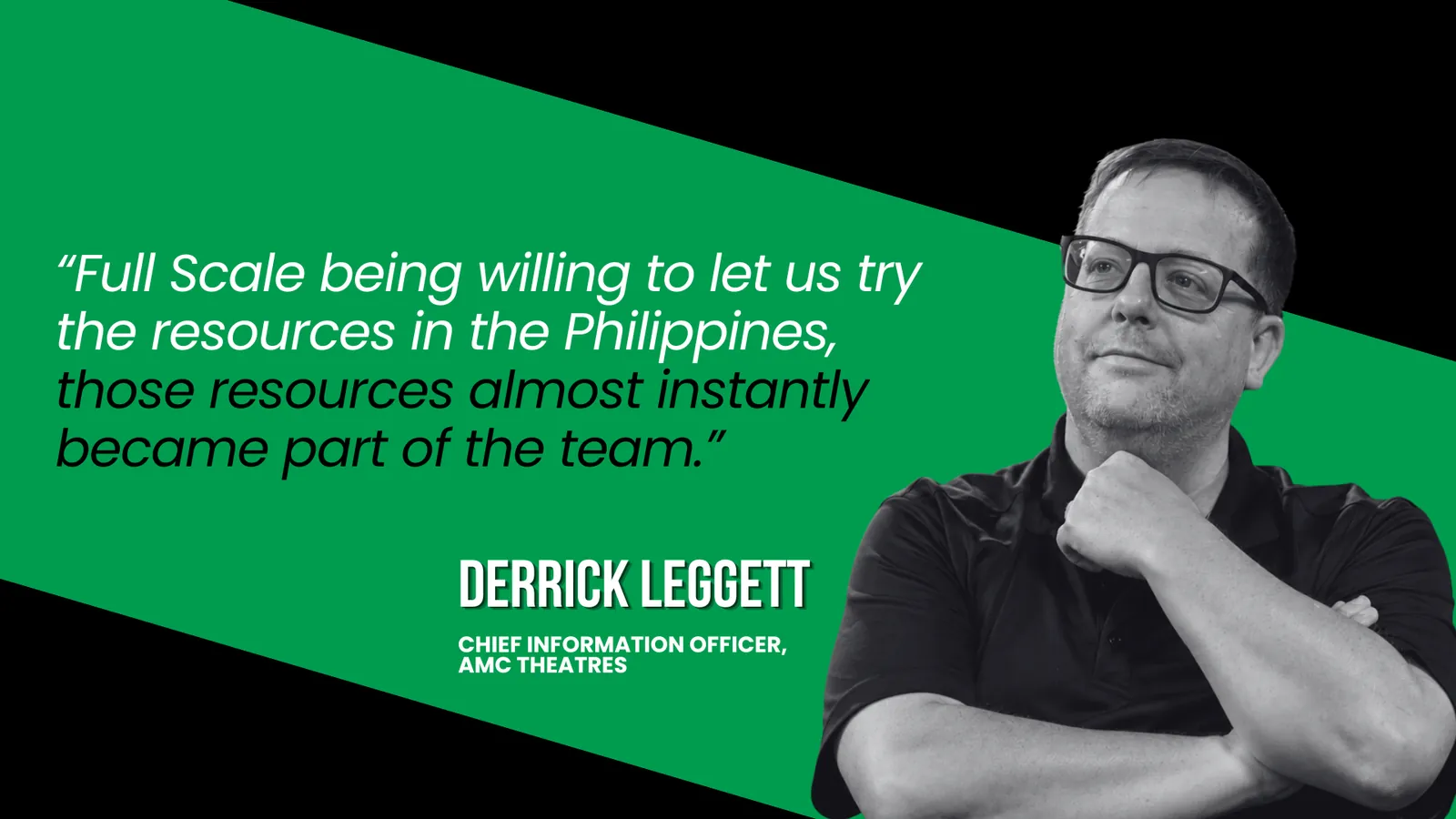
The model matters more than the monitoring. The most secure offshore setups I’ve seen treat the remote engineers as one team with the in-house ones: same code review, same Slack, same standards, no vendor middleman fronting people you never meet. That’s how AMC Theatres runs its engineers. As their CIO, Derrick Leggett, puts it, “It’s a fully integrated team. It’s just some of the people happen to be living in the Philippines.”
If you want the full playbook here, including the contract, NDA, and compliance mechanics, we wrote it up on its own: how to protect your IP with offshore developers. The short version is that a good staff augmentation partner is how you lower security risk, not how you add it. When you hire developers the right way, security is part of the deal.
Secure software development is a leadership problem, not a checklist
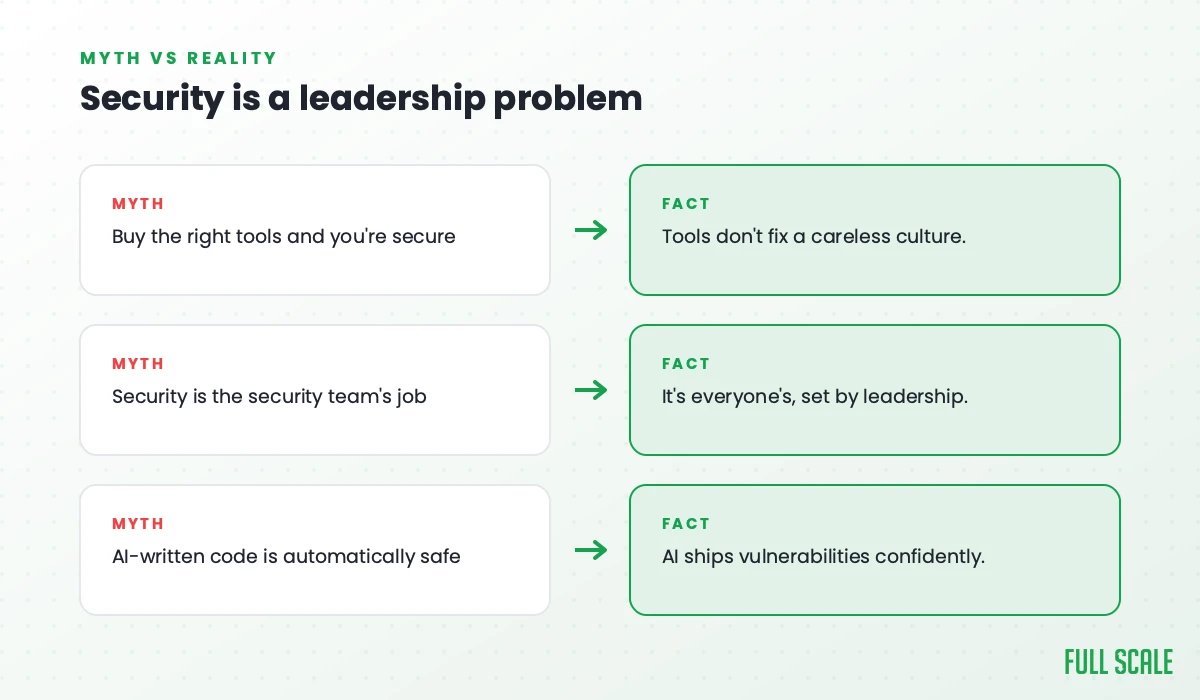
You can hand a team all 15 of these practices and still ship insecure software. I’ve watched it happen. The practices are necessary, but they aren’t enough, because security lives or dies on whether your people carry it when it’s inconvenient.
You can’t fix broken engineering with more process.
The three things that actually decide it are the same three I argue make or break a team in my book, Product Driven: communication, curiosity, and courage.
Communication means your security standards are clear enough that everyone follows the same ones, instead of each developer quietly guessing. Curiosity means somebody on the team is paying attention to how the threats keep changing, including how fast AI is reshaping them. And courage is the big one. Courage is whether a junior engineer feels safe enough to stop a senior’s pull request and say “I don’t think this is secure,” or to admit “I don’t actually understand what this AI wrote, so I can’t promise you it’s safe.” A team without that courage will nod through bad code to dodge an awkward conversation, and the bad code is where the breach starts.
If you need the business case in a single number, IBM puts the average cost of a data breach at 4.44 million dollars. Building it right costs less than that, every single time. Doing security well isn’t a tax on your engineering budget. It’s how you protect the money you already spent building the product.
Frequently asked questions
What is secure software development?
Secure software development is the practice of building security into every stage of making software, from design through coding, testing, and maintenance, instead of treating it as a final check before launch. The goal is to find and fix vulnerabilities as early as possible, when they’re cheapest to fix, and to keep customer data and intellectual property protected throughout the product’s life.
What are the best practices for secure software development?
The core practices are shifting security left into every phase, writing a secure development policy, threat modeling and designing for security, following secure coding standards, reviewing every code change, automating security scanning, locking down your software supply chain, managing secrets, enforcing least privilege, encrypting data, hardening configuration, logging and monitoring, patching quickly, training developers, and keeping an incident response plan. In 2026, reviewing AI-generated code carefully belongs near the top of that list.
What is a secure software development policy?
A secure software development policy is a short document that states your organization’s security standards, the practices developers are expected to follow, and who is responsible for them. Its real value is forcing you to decide what “secure enough” means and who owns each part of security before an incident, rather than improvising those answers during one.
What is the secure software development lifecycle (SDLC)?
The secure software development lifecycle, or secure SDLC, is the normal set of development phases (design, build, test, deploy, and maintain) with security treated as a requirement inside each phase rather than a gate at the end. Frameworks like the NIST Secure Software Development Framework organize this work into preparing the organization, protecting the software, producing well-secured software, and responding to vulnerabilities.
How do you keep software secure when AI writes the code?
You review it as if a human wrote it, because someone on your team is still responsible for it. Studies show a large share of AI-generated code ships with known security flaws, and bigger models aren’t safer, so human code review, automated security scanning, and senior judgment matter more once AI is involved. Treat the AI as a fast junior developer whose work always gets checked before it ships.
Build secure software with a team you can trust
Whether your code comes from your team, from ours, or from an AI, someone still has to own whether it’s secure. If you want senior engineers who review every change like it’s their name on the line, let’s talk about building your team.