
User Acceptance Testing Isn’t a QA Checkbox. It’s a Leadership Call.

In this article
- What is user acceptance testing, and what does it check?
- AI writes code that passes every test except the one that matters
- Someone has to own the sign-off, and “the developer reruns it” doesn’t count
- What it costs when nobody does
- A UAT checklist and best practices worth running
- Frequently asked questions
Quick answer: User acceptance testing (UAT) is the last round of testing before release, where the people who asked for the software, or who will use it, confirm it does what the business actually needed. Developers and QA confirm the code works, while UAT confirms it was the right thing to build, and a failed UAT should stop the release.
Automated tests can tell you the code does what you told it to. They can’t tell you if you told it to do the right thing.
That gap used to be small enough that a good product manager caught it before launch. AI now writes a growing share of the code that ships, and that gap is where the real risk lives.
That’s what user acceptance testing is for. It’s the oldest, least glamorous test in the stack. Right now it may be the most important one we have.
What is user acceptance testing, and what does it check?
User acceptance testing (UAT) checks something no line of code can verify on its own: whether the thing you built is the thing the business actually needed. It’s performed by the people who asked for the software, or who’ll use it, not by the developers who wrote it. Unit tests check that a function does what it’s supposed to do and integration tests check that pieces work together, but both live entirely inside the code.
The full hierarchy, unit through integration through system through acceptance, is laid out in software testing methodologies. The short version: those are testing levels, and acceptance is the last one, sitting closest to the customer.
AI writes code that passes every test except the one that matters
A New Relic survey of 200 US engineering decision-makers found that AI-generated code introduces roughly 1.7 times more critical runtime issues than code written and peer-reviewed by a human. That’s just the bugs automated tests are built to catch. Vibe coding your way to a green test suite is still vibe coding. It just comes with a passing grade stapled to it.
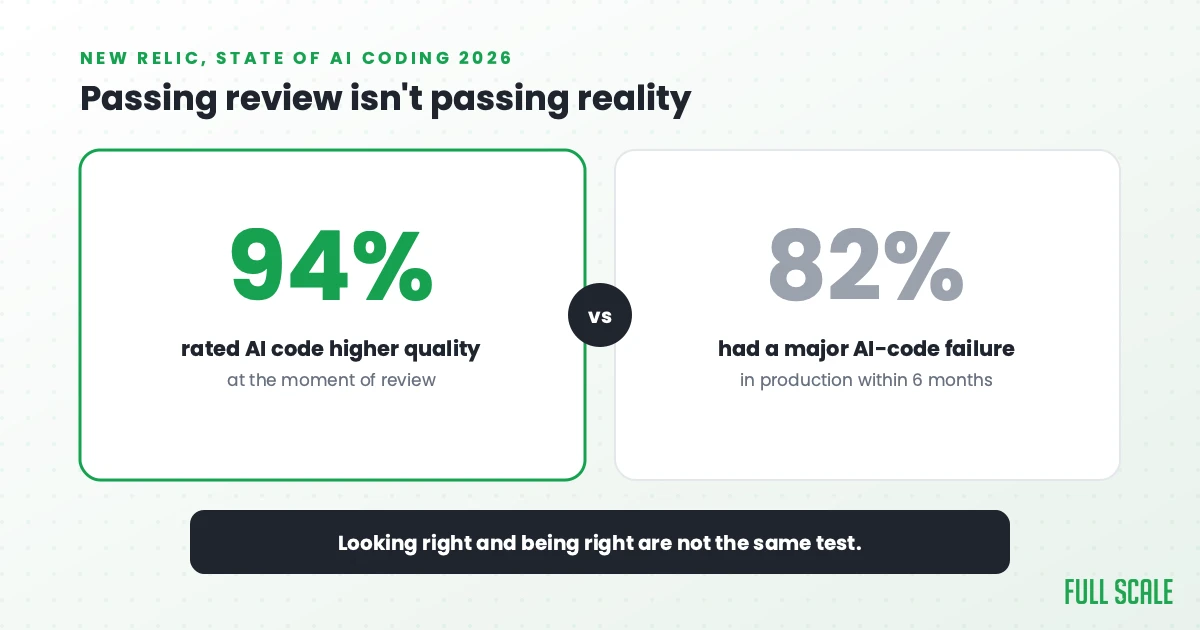
The same survey found something worse. 94% of the tech leaders surveyed rated AI-generated code as higher quality than human-written code at review time, a third of them “much higher.” 82% had a major production failure tied to AI-generated code within six months anyway. Code that looked better than ever, reviewed by people who believed it, still broke in production at a higher rate than before. That gap between “this looks right” and “this is right” is exactly what automated testing can’t see, and exactly what user acceptance testing exists to catch.
I’ve said this before and it hasn’t stopped being true: AI is a powerful tool that can boost productivity, but relying on it to generate unexplainable code creates tomorrow’s technical debt today. The hard part of software development was never writing the code. It’s understanding the problem you’re trying to solve, and no model can understand a problem nobody explained to it correctly.
A green test suite only proves the things you thought to check are still working. Whether you checked the right things is a separate question entirely, and I wrote a whole post on manual vs. automated testing about why AI made that question bigger instead of smaller. UAT is built around one question: whether you built the right thing. Neither a developer nor the AI that wrote the code can answer that from the inside.
The obvious objection is that adding a human sign-off gate just slows down the thing AI was supposed to speed up. Skipping UAT doesn’t save that time, though, because it only moves the cost to after launch, where the fix is more expensive and the audience is your actual customers instead of one reviewer. The testing trends worth paying attention to in 2026 point the same direction: more code, shipped faster, with less human attention on each line. Catching the gap before release is cheaper every time.
You don’t need rockstar developers nearly as much as you need rockstar requirements, and UAT is where you find out whether you actually had them.
Someone has to own the sign-off, and “the developer reruns it” doesn’t count
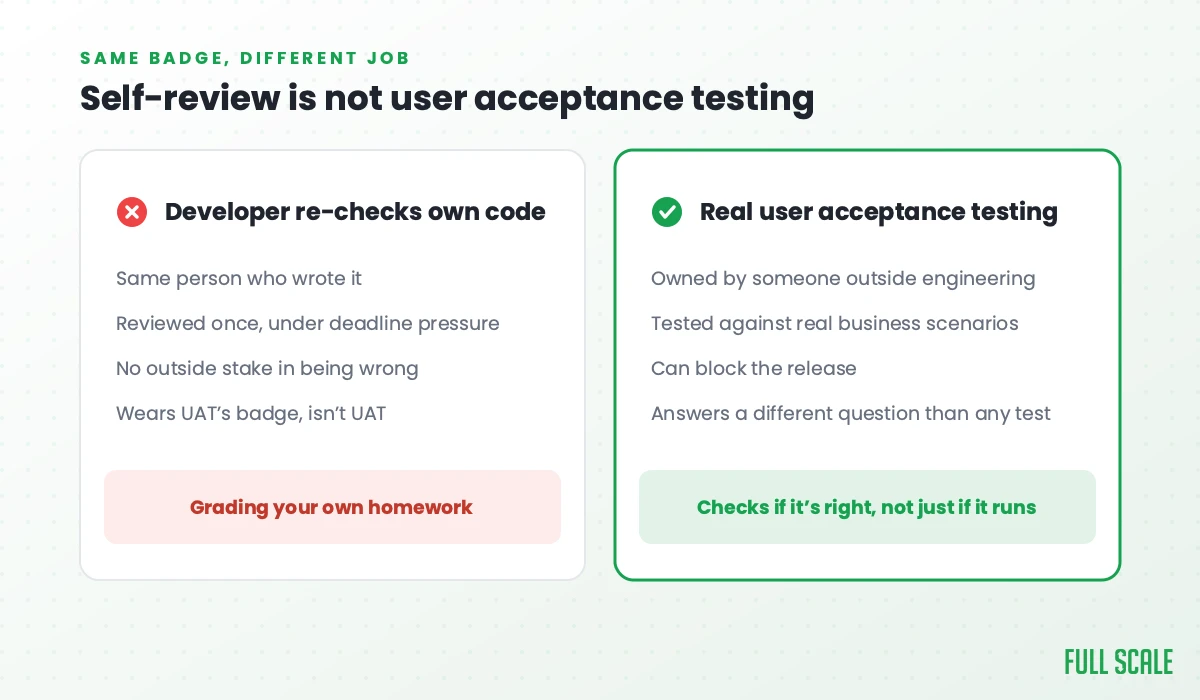
The failure mode I see constantly: a feature ships, a developer opens it up, clicks through it once, and calls it “accepted.” That’s a developer checking their own work and grading it a pass, a different activity that happens to wear UAT’s badge.
Real UAT has an owner who isn’t the person who wrote the code. Sometimes that’s a product manager. Sometimes it’s an actual end user, a dealership employee, a claims adjuster, whoever the software exists for. On Full Scale’s own QA staffing page, I’ve written that QA engineers should think like product people, that they need to understand what the product does and which customer outcomes actually matter, not just execute a script. It’s the same idea I built the Product Driven framework around: the expert in the problem will always beat the expert in the code. A developer can tell you the function returned the right value. Only someone who actually understands the business can tell you it was the right question to ask in the first place.
That’s also why a good QA hire is a different thing than adding a second developer to check the first one’s work. A QA engineer still isn’t the end user signing off on a release. But the ones worth hiring sit closer to the business than the code does, asking whether the feature solves the actual problem instead of just whether it runs.
Skipping this ownership question is how “the checkbox” happens. A checkbox does not know what the business needed. Checkboxes are very good at exactly one thing, and it isn’t that.
What it costs when nobody does
Software leaders treat the cost of skipping validation as an abstract risk until it isn’t. A 2022 CISQ report put the cost of poor software quality in the US at roughly $2.41 trillion that year. Most of it was eaten by operational failures and unsuccessful projects rather than clean, isolated bugs. The risk-based case for where to spend that effort is in software testing strategies. Put the deepest scrutiny on the paths closest to the customer. Those are usually the highest-risk ones you have, and everything else can get a lighter touch.
That’s also where the tradeoff actually sits. An internal admin tool nobody outside your own team touches can get away with a quick, informal pass. Anything customer-facing, anything that moves money, anything a regulator could ask about, earns the real version: a named owner outside engineering, real business scenarios, and a stop-ship if it fails.
The CrowdStrike outage in July 2024 is the extreme end of what happens when nobody draws that line. One faulty update grounded airlines and knocked out hospital systems, taking down roughly 8.5 million Windows machines in a single day. It was a failure to validate a real-world release against real-world consequences before it shipped, the same failure mode UAT exists to catch.
A UAT checklist and best practices worth running
Most UAT checklists online read like a certification exam. Here’s the short version that actually gets used:
- Someone outside engineering owns the sign-off. It isn’t the developer, and it isn’t their manager rubber-stamping a Jira ticket.
- Test cases come from real business scenarios, not just the acceptance criteria written into the ticket.
- The people testing it are the people who’ll actually use it, or as close as you can get.
- A failed UAT blocks the release. If it doesn’t, it’s a formality, not UAT.
- Feedback gets triaged before launch, not filed for “v2.”
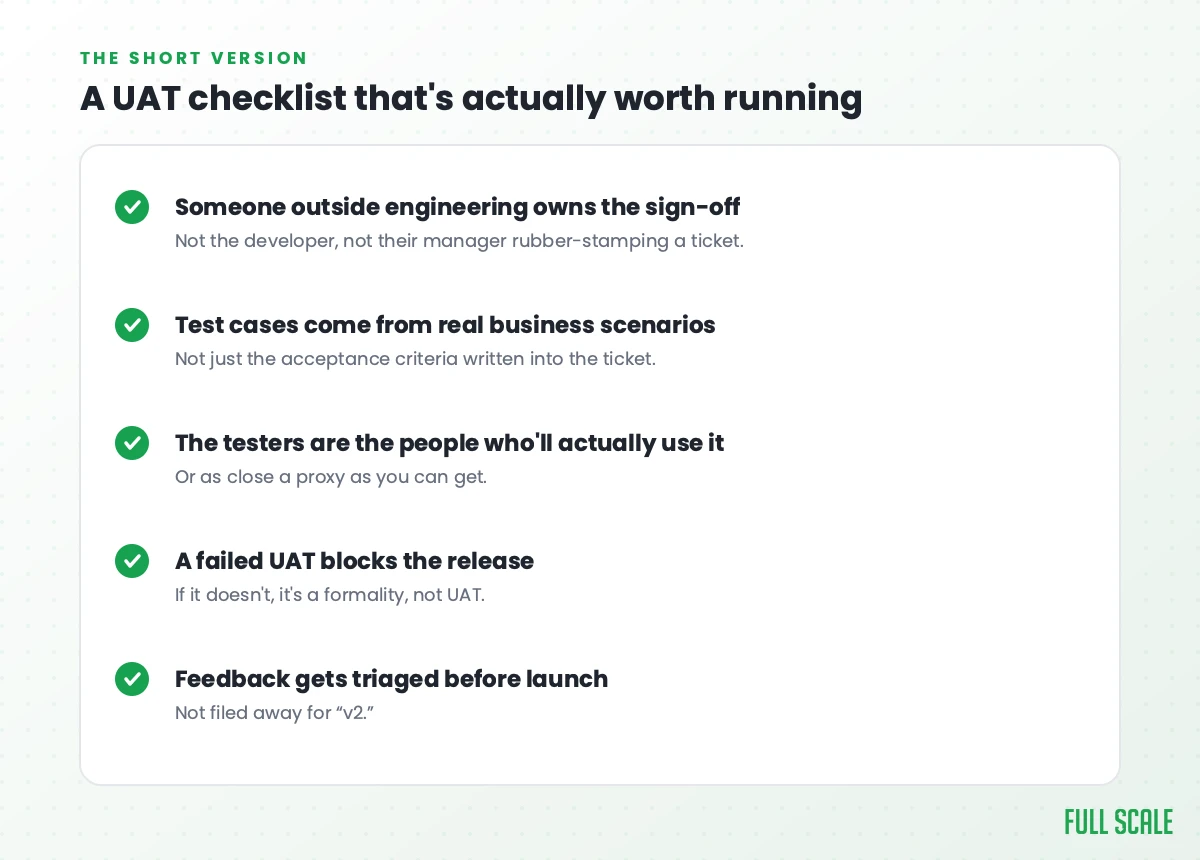
Five items. If your process has more steps than that, most of them are probably serving the process instead of the product.
Frequently asked questions
What’s the difference between UAT and QA testing?
QA is the umbrella that covers all testing activity, including the work developers and testers do to verify the code functions correctly. UAT is one specific, final layer inside that umbrella, performed by the business or the end user rather than the QA team, checking the product against real-world need rather than technical correctness.
What are the types of acceptance testing?
The most common are user acceptance testing (business stakeholders or end users), operational acceptance testing (IT validates backups, security, and maintenance readiness), and contract or regulatory acceptance testing (checking the software against a legal or compliance requirement). Most software companies only need to think hard about the first one.
Who performs UAT, and who writes the UAT test cases?
The people who asked for the software or will use it perform UAT: a product manager, a dealership employee, a claims adjuster, whoever the software exists for. They should also supply the test cases, built from real business scenarios and not only the acceptance criteria written into the ticket. A QA engineer can help organize those scenarios, but still isn’t the end user signing off, and the developer who wrote the code should never grade their own work.
Can user acceptance testing be automated now that AI agents can simulate users?
Parts of it can, but not the part that matters. An AI agent simulating a user can confirm the software behaves the way it was told to behave, faster than any human tester. It has no way to confirm that behavior is what the business actually needed, because that was never a question anyone gave it to answer. UAT catches the gap between “the tests pass” and “this is what we needed,” which no amount of AI-assisted testing, agentic or otherwise, touches. So UAT is still necessary, and arguably more than before.
What if you don’t have real users yet, like a pre-launch startup?
Use the closest proxy available: an actual prospective customer from a discovery call, a design partner, or an internal person with zero stake in the code being right. The goal is simply a sign-off from someone with no incentive to grade their own work.
If AI is going to keep writing more of your code, you need more certainty that someone, somewhere, is checking it against what your business actually needs, not less. That’s a staffing decision as much as a process one. If you need to hire dedicated QA engineers who bring that kind of product thinking to the table, let’s talk.